For a Texas shop, law office, rental property, or home office, a Ring doorbell or camera is often pointed at the front door, the loading dock, or the lobby — places you cannot watch every minute. Ring’s own privacy page states that all Ring accounts require two-factor authentication and that Ring monitors and investigates potentially unauthorized login attempts. That matters because account takeover here is not abstract: someone with your password can view live video, change settings, and manage shared users until you lock them out.
Ring has required a second sign-in step since February 18, 2020, when it made mandatory two-step verification the default for every login (including shared users). The push followed widely reported 2019 camera intrusions tied to credential stuffing and weak passwords, and later FTC enforcement in May 2023 over access-control and account-security practices. In 2024, Ring added passkeys (face, fingerprint, or device PIN) for passwordless sign-in; its 2020 blog update notes that some passkey logins skip the separate six-digit code.
Ring’s October 28, 2026 account-security email (from Ring Team, no-reply@mail.ring.com) repeats the same themes: mandatory two-step verification, passkey setup, Control Center reviews, Amazon account linking, and warnings that Ring will not text you a link to verify your account or ask for your full password or full card number. We verified those claims against Ring support articles below — not the message’s tracking links.
Snapshot
| Field | Detail |
|---|---|
| Mandatory 2SV | All accounts — Ring privacy · rollout from Feb 18, 2020 (Ring blog) |
| Sign-in code | Six-digit verification on login (2SV setup) |
| Passkeys | Optional — Ring app Account Settings → Passkeys or ring.com Control Center → Passkeys (passkey help) |
| Control Center | Account Verification, Authorized Client Devices, User Permissions, Linked Accounts, Amazon Account Linking (Control Center) |
| Audits (Nov 1, 2026) | ring.com 63% · amazon.com 54% · 100% is the ideal |
What Ring requires now
Ring treats two-step verification (2SV) as non-optional for Ring accounts. On each sign-in, Ring expects a Ring Sign-in Code — a six-digit one-time code — unless a documented exception applies (for example, some passkey-based logins per Ring’s 2020 blog update).
Ring documents these verification channels in Control Center → Account Verification:
- Text message (SMS) — default path described in Ring’s 2SV article.
- Authenticator app — open TOTP-style codes (Google Authenticator-class apps).
- WhatsApp — OTP delivery when the enrolled number matches WhatsApp.
- Push Notification Approval — approve or deny sign-in on a device already signed in to the Ring app (Ring documents this as part of account security).
- Government ID verification — United States and Canada only, documented in Ring’s troubleshooting article.
Ring’s passkey feature is separate from picking SMS vs authenticator: it replaces password entry with device biometrics or PIN on supported iOS, Android, and desktop browsers. Ring does not document FIDO2 security keys (YubiKey-class) as a Ring-account sign-in method on its support site — only passkeys and the 2SV methods above.
Amazon linkage: Many businesses link Ring to Alexa and Amazon for announcements and Skills. Ring documents Amazon Account Linking and Linked Accounts in Control Center (manage access). A compromised Amazon password can still affect linked services even when Ring 2SV is on — Ring’s same article walks through signing out all Alexa devices and resetting the Amazon password if you suspect compromise.
Ring’s 2FA options graded
Under our MFA directory rules, SMS, WhatsApp, and email OTP grade Fail (SIM-swap and phishing risk). Open authenticator-app TOTP grades Pass. Passkeys grade Strong (phishing-resistant, device-bound). FIDO2 security keys are Fail here because Ring’s public docs do not offer them for Ring login.
| Method | Grade | Ring documents |
|---|---|---|
| SMS text code | Fail | Yes — default 2SV path (2SV setup) |
| WhatsApp OTP | Fail | Yes — Control Center option |
| Authenticator app (TOTP) | Pass | Yes — QR or setup key (2SV setup) |
| Push notification approval | Pass | Yes — device already on Ring app (troubleshooting) |
| Passkeys (face / fingerprint / device PIN) | Strong | Yes — optional passwordless sign-in (passkeys) |
| FIDO2 / YubiKey security key | Fail | Not documented for Ring account login |
Practical takeaway: Required 2SV blocks password-only takeover, but teams still on SMS should move to authenticator app or passkeys — especially on lines tied to SIM-managed phones.
Five-minute Ring account checkup
Set a timer — this is maintenance, not a project.
- Add a passkey on the phone you actually carry: Ring app ☰ → Account Settings → Passkeys, or ring.com Account → Control Center → Account Management → Passkeys (instructions).
- Open Control Center → Account Verification and switch from SMS to Authenticator App if you can (2SV setup).
- Review Authorized Client Devices — remove anything you do not recognize (authorized devices).
- Open User Permissions — delete former employees, installers, or tenants who should not still see video (manage access).
- Check Linked Accounts and Amazon Account Linking — unlink unknown Alexa/Amazon ties (same article).
- Change the Ring password if it was ever reused; then repeat on the linked Amazon account if Alexa is in use.
- Confirm login notification emails still reach an inbox you monitor (Ring documented email alerts for new device logins in its February 2020 security blog).
Watch for Ring-themed scams
Ring documents social-engineering patterns in Safeguard Your Personal Data:
- Fake “account suspended” or “delete your account” texts, emails, or calls.
- Too-good-to-be-true camera deals that send you to non-Ring payment pages.
- Fake support on websites other than ring.com or the Ring app.
- Package-delivery or “click to verify” texts — Ring’s Oct 28, 2026 customer email states Ring will not text you to click a link or verify your account; Ring’s support article instead describes six-digit codes you type during sign-in, not marketing links (2SV setup).
Ring will not ask for your account password or entire credit card number (safeguard article). Legitimate password resets use email links from Ring when you requested them (sign-in help).
What to do
- Complete the five-minute checkup above on every Ring account tied to a business or rental.
- Do not click SMS links claiming to be Ring — open the Ring app or type ring.com yourself.
- If you suspect takeover, use Authorized Client Devices → Remove All Devices, change passwords on Ring and Amazon, and review Shared Users (manage access).
- Report suspicious messages through Ring’s Report a Scam path (linked from ring.com/security).
- Put Strong MFA on the Amazon and Google/Microsoft mailboxes that receive Ring alerts — see below.
- Segment IoT Wi-Fi where you can; account hygiene does not fix WPA2-only camera radios — see our Ring Wi-Fi security lineup for router-side notes.
MFA: YubiKey and Google Authenticator
Camera takeover starts at Ring, but attackers pivot to email, payroll, and client files. Grades follow our MFA support directory.
| Grade | Meaning |
|---|---|
| Fail | SMS / voice / email OTP only — or no self-serve YubiKey / open TOTP |
| Pass | Self-serve Google Authenticator-style open TOTP |
| Strong | FIDO2 / YubiKey-class security key for sign-in |
| Platform | Grade | YubiKey | Authenticator |
|---|---|---|---|
| Ring account | Pass | No — passkeys only; no documented FIDO2 key enrollment | Yes |
| Amazon account (linked Alexa) | Strong | Yes — Amazon 2SV | Yes |
| Google Account (Nest cameras) | Strong | Yes | Yes |
| Wyze account | Pass | No public FIDO2 | Yes |
| Arlo account | Fail | No | No TOTP — SMS/email/push |
| SimpliSafe account | Fail | No | No TOTP — SMS/call |
| Eufy Security account | Fail | Not published | No — email/SMS codes |
| Blink account | Fail | No documented YubiKey | No TOTP — passkeys/SMS/WhatsApp |
Ring competitor rows mirror our October 2026 IoT camera series posts (Wyze, Nest, Arlo, SimpliSafe, Eufy, Blink).
Recommended MFA tools
| Product | Best for | Get it |
|---|---|---|
| YubiKey 5C NFC | USB-C laptops + NFC phones | Amazon |
| YubiKey 5 NFC | USB-A desktops + NFC phones | Amazon |
| Proton Pass | Passkeys + authenticator-style TOTP | Proton Pass |
We may earn a commission if you buy a YubiKey or sign up for Proton Pass through the links above.
Independent cybersecurity audits
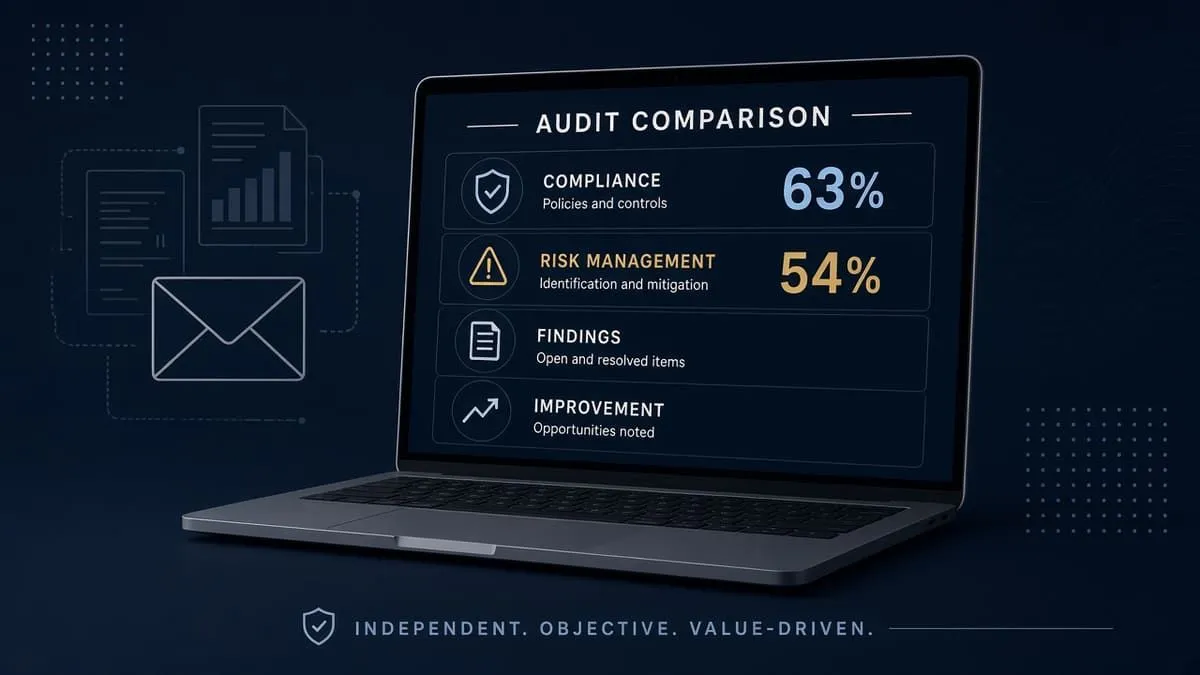
We audited ring.com and amazon.com on November 1, 2026. 100% is the ideal — neither reaches it. Scores measure public email, transport, and website posture on the marketing and account domains — not whether your cameras are patched or your Ring password is unique.
| Organization | Domain | Overall | vs 100% |
|---|---|---|---|
| Ring | ring.com | 63% | −37 |
| Amazon | amazon.com | 54% | −46 |
| Domain | Identity | Transport | Website |
|---|---|---|---|
| ring.com | 75% | 15% | 40% |
| amazon.com | 55% | 15% | 37% |
Audit links: ring.com · amazon.com
Compared with our October 20, 2026 Ring Wi-Fi lineup snapshot, ring.com stayed at 63% overall; category scores above come from today’s fresh audit HTML (Identity 75%, Transport 15%, Website 40%). Some newer posts show 40% / 5% / 30% breakdown tables that match category weights, not live scores — always use the audit links for the current grid.
Blacklist and lookalike domains
Email blacklist checks (public DoH, November 1, 2026): ring.com and amazon.com were clear.
DNS lookalike scans (BEC profile, registered signals only) for ring.com:
| Brand scanned | To review | Likely owned | BEC staging |
|---|---|---|---|
| ring.com | 81 | 0 | 1 |
High-interest registered names (investigate; not proof a scam used them):
| Lookalike | Technique | Note |
|---|---|---|
| ring-verify.com | affix | BEC staging (NS + MX) |
| ring-secure.com | affix | Live NS + A + MX |
| my-ring.com | affix | Live NS + A + MX |
Type ring.com yourself. Continuous monitoring: Cybersquat Domain Monitoring.
Related coverage
- Ring Wi-Fi security — WPA2 and router PMF
- IoT camera Wi-Fi hub — eleven brands
- Google Nest Wi-Fi lineup
- Wyze Wi-Fi lineup
- Chick-fil-A credential stuffing — password reuse
- MFA support directory
Check your domain free at audit.emailmenow.com, or see automated reports and monitoring.
Sources: Ring privacy · Ring Control Center · Two-step verification setup · Passkeys · Manage access / Amazon linking · Safeguard personal data · Ring blog — mandatory 2SV (Feb 18, 2020) · Ring blog — FTC settlement response (May 31, 2023) · FTC press release (May 2023) · Ring customer email Oct 28, 2026 (paraphrased; no tracking URLs). Independent EmailMeNow audits, blacklist, and cybersquat scans November 1, 2026. Domain scores: audit.emailmenow.com only.