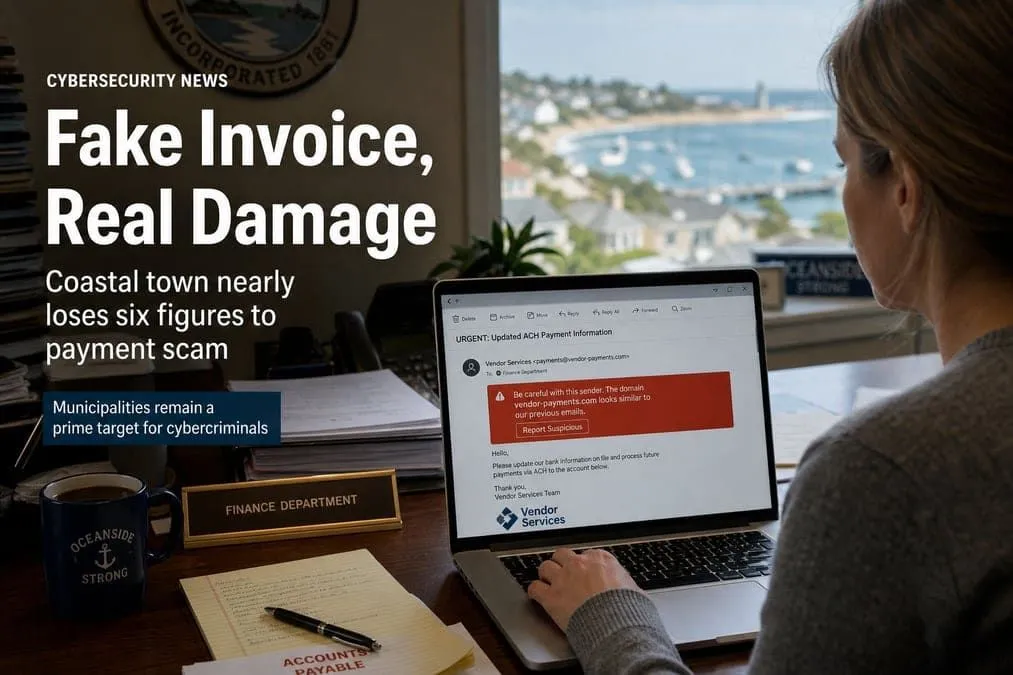
A $545,598.30 contractor payment from Surfside Beach, South Carolina never reached the builder. Attackers slipped into the email thread using lookalike domains for both sides — the town and its contractor — swapped ACH instructions to a Utah account, and left a small beach town and its insurer arguing over whose fault it was.
Insurance Business (July 23, 2026) framed the case as a textbook business email compromise (BEC) — and a warning that “cyber coverage” often is not social-engineering coverage. Local reporting documents a town typosquat surfsidesbeach.org and a vendor lookalike spelling “Wildcat” with an extra “i” (Post and Courier; WMBF).
Our July 25, 2026 RDAP check shows both squats were registered on March 9, 2026 — the vendor squat wiidcatcontractors.com first (16:57 UTC, Wild West Domains), then the town squat surfsidesbeach.org (~2 hours later, 18:48 UTC, Name.com). The town’s ACH of $545,598.30 went out four days later, on March 13, 2026.
More than four months later, neither the town nor Wildcat appears to have gotten either squat disabled. Both domains are still registered, still publish live MX, and can still send or receive mail that looks like the real parties — so the same payment thread remains exposed, and other vendors or municipalities that deal with either organization are still at risk of a repeat.
This piece covers the Surfside Beach municipal loss, how email providers handle Newly Registered Domains (NRDs), and a practical typosquat response playbook (triage → abuse takedown → UDRP/URS → ACPA → brokered buy).
Snapshot
| Field | Detail |
|---|---|
| Victim (payer) | Town of Surfside Beach, SC (~4,300 year-round residents) |
| Intended payee | Wildcat Contractors (Gastonia, NC) — Ocean Blvd underground utilities |
| Amount / ACH date | $545,598.30 sent March 13, 2026 |
| Fraud type | BEC / vendor payment diversion |
| Vendor squat registered | wiidcatcontractors.com — March 9, 2026 16:57 UTC (Wild West Domains, LLC) |
| Town squat registered | surfsidesbeach.org — March 9, 2026 18:48 UTC (Name.com, Inc.) — ~2 hours after the vendor squat |
| Gap to payment | 4 days (register March 9 → ACH March 13) |
| Lookalike status (Jul 25, 2026) | Both still live — no evidence the town or Wildcat has suspended either squat; no website, but live MX (town → Google, vendor → Microsoft 365) |
| Exposure if left up | Anyone still emailing either party can be pulled into a repeat lookalike thread; mail filters that do not block these domains stay vulnerable |
| Destination | Fraudulent account in Utah; LA callback on forged ACH form |
| Discovery lag | ~45 days before the hole was clear (Insurance Business); LE contacted late April |
| Investigations | FBI, SLED, town/insurer forensics |
| Pool cyber base (SC typical) | South Carolina Municipal Insurance and Risk Financing Fund — about $100,000 direct cyber, optional commercial layer |
How the scam worked
| Step | What happened |
|---|---|
| 1. Live thread | Town public works and Wildcat were mid-project on payment #4. |
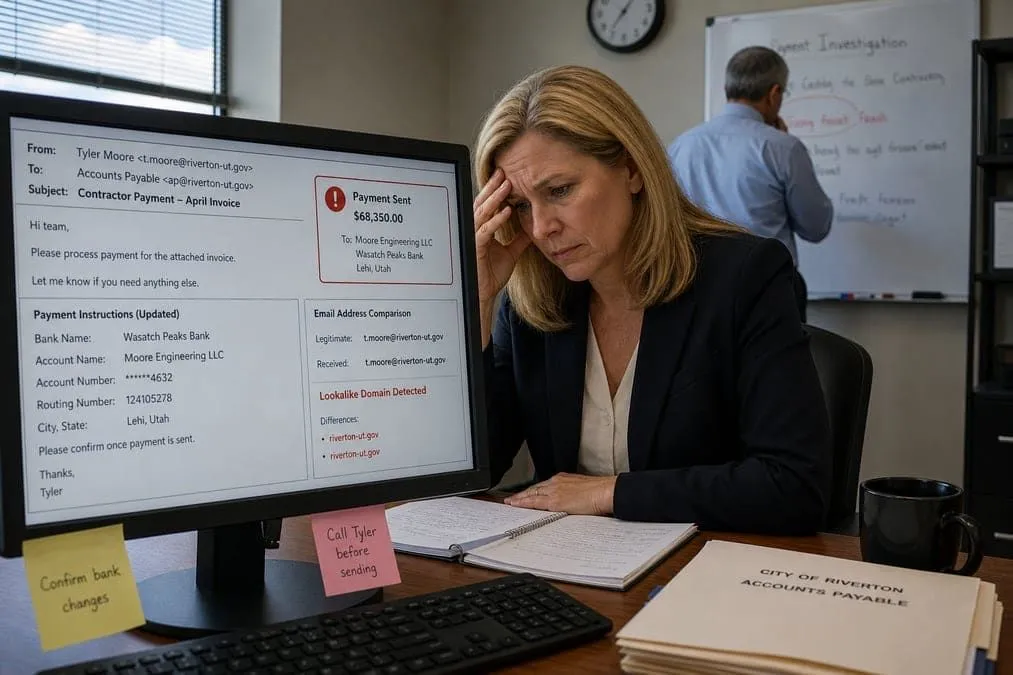
| 2. Insert | Scammers joined the conversation using lookalike domains that passed the eyeball test — impersonating the town to the vendor and the vendor to the town. |
| 3. Switch channel | Asked to change from check to electronic transfer. |
| 4. Forged ACH | Form looked “legit” — Utah bank, LA number, signature reportedly copied from another document. |
| 5. Town paid | Finance processed the ACH; money never hit Wildcat. |
| 6. Blame fight | Mayor: town followed process. Contractor: they got scammed. Coverage may hinge on who was compromised. |
Kroll’s Dave Burg described the pattern: attackers watch quietly, set rules on payment keywords, and divert real replies so each side only sees the scammer’s version of the thread. Huntress’s Ben Bernstein called the lookalike domain subtle enough to pass a human glance.
Why the insurance response is complicated
BEC sits at the intersection of three different triggers — they are not interchangeable:
| Coverage type | Typically responds when… |
|---|---|
| Social engineering fraud (crime / cyber) | An employee is deceived into authorizing a transfer — even with no system breach |
| Funds transfer fraud | Unauthorized transfer, often needing some system compromise element |
| Liability | Policyholder is found legally at fault |
Surfside Beach’s carrier narrative, as reported, tracks closer to liability: coverage discussion focuses on whether the town is at fault, not simply that $545K is gone. That is the opposite of what many councils assume when they hear “we have cyber.”
Scale makes it worse for small publics. A $100K pooled cyber base cannot absorb a $545K ACH diversion — even if every layer responds cleanly. Coalition’s 2026 claims data (cited by Insurance Business) put BEC + funds-transfer fraud at 58% of cyber incidents in 2025.
Speed is a recovery control: the FBI has said funds are recovered in roughly 75% of BEC cases reported within 72 hours. Waiting weeks collapses those odds.
Newly Registered Domains — why this case matters
Attackers frequently use Newly Registered Domains (NRDs) for short-lived phishing and payment-fraud campaigns. Here the window was concrete: both lookalikes registered on March 9, and the ACH cleared on March 13 — a four-day NRD window that native “first contact” tips and third-party domain-age banners are built to catch.
Timeline (registration → payment)
| When (UTC / local reporting) | What happened |
|---|---|
| March 9, 2026 — 16:57 UTC | Vendor squat wiidcatcontractors.com registered (Wild West Domains, LLC) — RDAP |
| March 9, 2026 — 18:48 UTC | Town squat surfsidesbeach.org registered (Name.com, Inc.) — RDAP; ~2 hours later |
| March 9, 2026 | Fraudulent email activity begins (investigators / local reporting) |
| March 13, 2026 | Town sends $545,598.30 ACH intended for Wildcat; funds diverted |
| ~April 27–28, 2026 | Wildcat reports non-payment; town escalates to LE / insurer |
| July 25, 2026 | Both squats still registered with live MX; neither party has publicly neutralized them (~138 days after registration) |
Both squats are still live — and neither party has shut them down
Reporting describes lookalikes on both sides of the thread: a town typosquat (extra s — surfsidebeach.org → surfsidesbeach.org) and a vendor typosquat (“Wildcat” written with an extra / substituted i — live domain wiidcatcontractors.com). RDAP + DNS on July 25, 2026 confirm both are still registered, each with no website but working mail routing.
That is not a closed incident. The town and the contractor do not own these domains — attackers do — but neither organization appears to have completed an effective disablement (registrar abuse suspension, hoster takedown, or UDRP/URS transfer). Until that happens, the infrastructure used to divert $545K can still be reused against:
| Who remains exposed | Why |
|---|---|
| Surfside Beach finance / public works | Town squat can still pose as municipal mail in vendor threads |
| Wildcat Contractors and its other clients | Vendor squat can still pose as Wildcat in ACH / invoice threads |
| Any municipality or GC paying Wildcat | Same “extra i” lookalike works on the next project |
| Mail tenants that never blocked these domains | First-contact tips help; an explicit block list is stronger |
| Impersonated party | Real domain | Squat domain | Registered (RDAP) | Registrar | Website | MX | Disabled by victim? |
|---|---|---|---|---|---|---|---|
| Wildcat Contractors | wildcatcontractors.com | wiidcatcontractors.com | 2026-03-09 16:57 UTC | Wild West Domains, LLC | None | Live → Microsoft 365 | No — still answering DNS |
| Town of Surfside Beach | surfsidebeach.org | surfsidesbeach.org | 2026-03-09 18:48 UTC | Name.com, Inc. | None | Live → Google | No — still answering DNS |
That pattern — no site, live MX, months after a public loss — is why lookalikes stay dangerous long after headlines fade. Both squats can still send and receive mail. Treat an MX-on lookalike as open BEC staging until the registrar suspends it, not as a harmless parked name.
The vendor squat also shows why one-sided defenses fail: hardening only the town domain would not have blocked a fraudulent “Wildcat” sender, and vice versa. Both parties in a payment thread need lookalike monitoring and a takedown path. Leaving either squat up after a $545K diversion keeps the same attack surface available for a second hit.
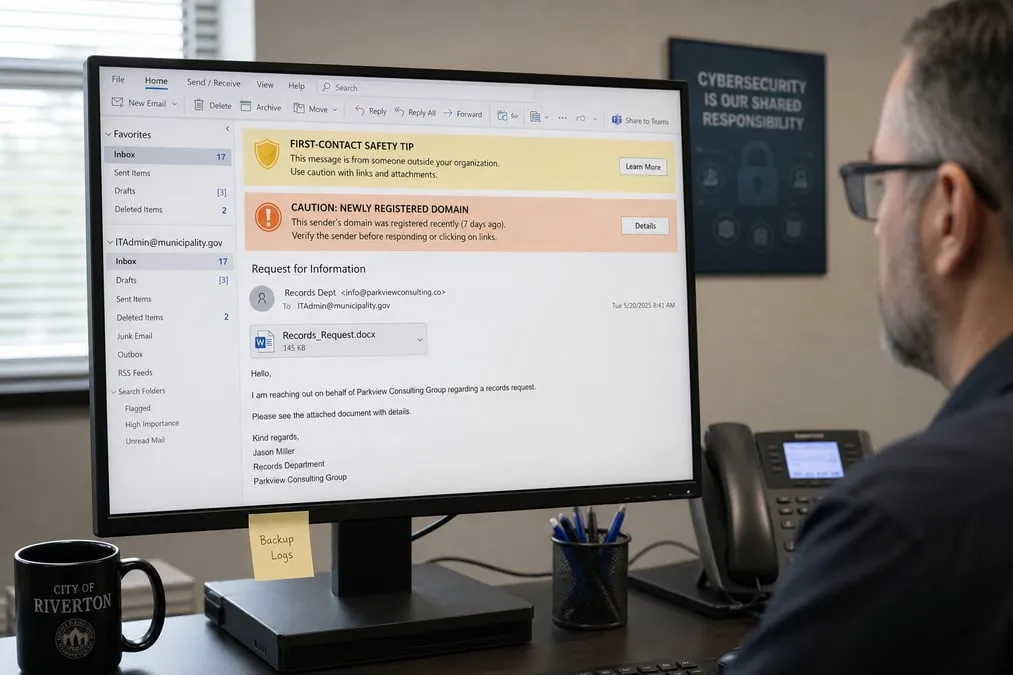
None of the major consumer or business mail platforms offer a native end-user toggle that says “Warn me if this domain is under 30 days old.” Domain age is either baked into backend reputation or requires admin + third-party tooling for an explicit banner.
How email providers handle NRDs
Platform comparison (quick read)
| Platform | Native “under 30 days” toggle? | Best native control | Explicit NRD banner |
|---|---|---|---|
| Microsoft 365 | No | First contact safety tip + Defender NRD scoring / quarantine | Third-party CESS (Abnormal, Mimecast, Avanan, etc.) |
| Outlook.com / Hotmail | No | EOP reputation → Junk / block | Uncustomizable safety bars only |
| Google Workspace | No | Advanced phishing & malware protection (spoof / unauth warnings) | Third-party CESS (Cyren, Proofpoint, Avanan, etc.) |
| Personal Gmail | No | Safe Browsing / reputation → Spam or danger banner | None you can customize |
| Proton Mail | No | PhishGuard (auth fail / suspicious source banners) | No third-party inbox API scanners; Sieve cannot WHOIS |
Microsoft 365 / Office 365 (business)
| Control | What to do |
|---|---|
| First contact safety tip | Defender → Email & collaboration → Policies & rules → Threat policies → Anti-phishing → enable tip. Shows: “You don’t often get email from [sender]. Learn why this is important.” Covers first-seen senders — including most NRDs. |
| Backend NRD tag | Defender ML heavily penalizes brand-new domains (often quarantine). Admins see “Newly registered domain” in investigations — but cannot build Exchange mail-flow rules solely on that tag today. |
| Explicit NRD banner | Connect a Cloud Email Security Supplement (Abnormal Security, Mimecast, Avanan, etc.) via Graph / API to inject “CAUTION: Newly registered domain” HTML before delivery. |
Personal Outlook.com / Hotmail
You do not get Defender admin or custom mail-flow rules. Rely on Exchange Online Protection: zero-reputation NRDs usually land in Junk or are blocked. If mail reaches the inbox, Outlook may show red/yellow bars for failed SPF/DKIM or poor reputation — you cannot customize those.
Google Workspace
| Control | What to do |
|---|---|
| Advanced phishing protection | Admin console → Apps → Google Workspace → Gmail → Safety → Advanced phishing and malware protection. Under spoofing/authentication, set action to Keep email in inbox and show warning for weak/unauthenticated senders. |
| Explicit NRD banner | CESS tools (Cyren, Proofpoint, Avanan, etc.) check WHOIS age and inject a custom caution banner when registration is under ~30 days. |
Personal Gmail
No Admin console and no third-party API scanning of your inbox. Google’s reputation stack usually Spam-folders or danger-banners brand-new domains with links/attachments. You cannot build a domain-age filter — do not whitelist unknown payees.
Proton Mail
Privacy-first: third parties cannot scan your inbox via API. PhishGuard shows a bright red banner when authentication fails or the source looks suspicious (including many no-reputation domains): “This email has failed its domain’s authentication requirements…” Custom Sieve filters can read headers/body but cannot call WHOIS, so you cannot hand-build an NRD rule.
Recommendation (all providers)
| Who you are | Practical move |
|---|---|
| M365 or Google Workspace admin | Turn on First contact / Advanced phishing warnings now; add a CESS if you need an explicit “under 30 days” banner on vendor ACH threads. |
| Outlook.com / Gmail / Proton personal | Rely on native reputation + PhishGuard; treat any payment-change email as hostile until verified out-of-band. |
What to do when you find a typosquat of your domain
Finding a typosquatted version of your domain — like surfsidesbeach.org next to surfsidebeach.org, or wiidcatcontractors.com next to wildcatcontractors.com — can be alarming, but you have several paths to neutralize the threat. The best approach depends on whether the domain is actively used for phishing / BEC, simply parked, or being held for ransom.
Do not tip off the squatter too early. Reaching out before you lock down evidence can raise their asking price or make them hide tracks (privacy WHOIS, move hosting, drop MX).
1. Immediate triage (before outreach)
| Step | Why it matters |
|---|---|
| Screenshot any live site, login page, or mail-related content | Preserves evidence before the page disappears |
| WHOIS capture (registrar, registrant, dates, name servers) | Document details before privacy locks or ownership flips |
| Check MX / SPF / DKIM | Active MX often means the domain is staged for phishing or BEC — treat as incident, not a parked nuisance |
| Note hosting / CDN IPs | Needed for hoster abuse reports |
| Alert finance / mail admins | Block the lookalike in Defender / Workspace; warn staff not to reply to that domain |
2. Non-legal takedowns (usually the fastest path)
If the domain hosts malware, a fake login, or your logos / copyrighted materials, you often do not need a lawsuit first:
| Channel | Action |
|---|---|
| Registrar abuse | From WHOIS, open the registrar’s abuse form (GoDaddy, Namecheap, etc.) and cite phishing / ToS violations |
| Hosting / CDN abuse | Send a takedown or DMCA notice for infringing brand assets on the live site |
| Mailbox providers | Report phishing URLs to Microsoft, Google, and your CESS vendor so messages from that domain are blocked |
3. Administrative actions (ICANN policies)
If the domain is parked or only shows generic ads — not yet overtly illegal — use ICANN dispute processes:
| Path | Best for | You must show (summary) | Typical result |
|---|---|---|---|
| UDRP (often via WIPO) | Most brand lookalikes | (1) Identical / confusingly similar to a mark you own; (2) registrant has no rights / legitimate interest; (3) registered and used in bad faith | Domain transferred to you or cancelled |
| URS | Clear-cut, urgent abuse | Higher burden — indisputable cybersquatting | Domain temporarily suspended (not transferred) |
UDRP is the common municipal / SMB route when you hold a protectable mark and the lookalike was clearly registered to confuse. URS is faster and cheaper but does not hand you ownership.
4. Civil litigation (U.S. — the heavy hammer)
| Tool | Notes |
|---|---|
| ACPA (Anti-Cybersquatting Consumer Protection Act) | Civil suit when registration shows bad-faith intent to profit from your mark |
| Pros | Court can order transfer / cancellation; possible statutory damages |
| Cons | Costly and slow vs UDRP — reserve for high-value brands or stubborn squatters |
Municipalities and small contractors should get trademark / IP counsel before filing; many Surfside-style lookalikes are better handled first via abuse reports + UDRP, while payment callbacks stop the ACH bleed.
5. Negotiation and acquisition
Sometimes buying the domain is cheapest — with caveats:
| Do | Don’t |
|---|---|
| Use a third-party domain broker so the seller does not know a brand / city is the buyer | Contact the squatter directly as “Town of …” or “Acme Corp legal” |
| Cap what you will pay; treat it as risk spend vs a $545K ACH loss | Assume payment ends future squatting — paying can mark you as a willing buyer |
Choose a path by domain state
| Domain state | Prefer |
|---|---|
| Active phishing / BEC MX | Immediate triage → registrar/host abuse → mail blocks → law enforcement if funds moved |
| Parked / ads only | Evidence pack → UDRP (or URS if slam-dunk) |
| Ransom / “buy it or else” | Brokered negotiation or UDRP/ACPA — do not escalate price with emotional outreach |
| Your own defensive registrations | Register common typos (extra letters, I/l, rn/m) before attackers do |
Expanded remediation list (municipal + email providers)
Payment & process (coverage-preserving)
- Call a known number before any ACH / wire / account-change — never the number in the email (FBI guidance echoed after this incident).
- Dual control on vendor banking changes (finance + public works / manager).
- Password-protect large contract PDFs and ACH forms; treat “urgent switch to ACH” as a fraud signal.
- 72-hour clock — escalate to bank recall + FBI IC3 the same day a diversion is suspected.
- Read the policy — confirm whether you have social engineering, funds transfer, or only liability triggers; note $100K pool sublimits vs real ACH sizes.
- Tabletop the Surfside scenario with council and the risk pool broker before renewal.
Microsoft 365 / Defender
- Enable First contact safety tip on anti-phishing policies.
- Review Defender threat explorer for Newly registered domain tags on vendor mail.
- Enforce DMARC reject + MTA-STS on the municipal domain; monitor for lookalike registrations.
- If explicit NRD banners are required, deploy Abnormal / Mimecast / Avanan (or equivalent) and test on a payment-change mailbox.
Google Workspace
- Harden Advanced phishing and malware protection; show warnings for unauthenticated / similar-domain mail.
- Add Proofpoint / Cyren / Avanan (or equivalent) for WHOIS-age banners on finance shared inboxes.
Personal Gmail / Outlook.com / Proton
- Never whitelist contractor domains from a single thread.
- Use Proton PhishGuard banners and Gmail/Outlook danger bars as stop signs — then verify by phone.
- Prefer a managed Workspace / M365 tenant for any public entity or firm that moves six-figure ACH.
Identity & domain hygiene (Texas & SC publics alike)
- Monitor for typosquats of your
.org/.gov/.com(extra letters,I/l,rn/m). - On discovery: screenshot, WHOIS, and MX check before any contact with the registrant.
- If MX is live or phishing is up: file registrar + hoster abuse the same day; block the domain in mail filters.
- For parked brand lookalikes: prepare a UDRP (or URS) package; reserve ACPA for stubborn / high-value cases.
- Prefer a domain broker if you must buy — never negotiate as the obvious brand owner.
- Publish clear payment-change procedures on the website so staff have a known process to cite.
- Train that lookalike + urgency + ACH change is BEC until a callback proves otherwise.
Why Texas cities and special districts should care
Texas municipalities, ISDs, MUDs, and hospital districts face the same pattern: modest pooled or layered cyber limits, vendor ACH during construction season, and insurers that ask who was compromised before paying. A Surfside-style loss can exceed the cyber sublimit in a single transfer — and a 45-day discovery window wrecks FBI recovery odds. Leaving the lookalike domains up for months afterward, as both Surfside Beach and Wildcat still have, means the next ACH season starts with the same weapon still loaded.
Pair payment callbacks with NRD-aware mail controls on Microsoft 365 or Google Workspace, and finish the job: block + suspend known squats until MX disappears. Personal Gmail/Outlook/Proton are fine for individuals — not for six-figure public payments.
Independent cybersecurity audits
We audited domains tied to this story and the email-provider remediation stack on July 25, 2026, including fresh checks of both reported typosquats (town and vendor — both still registered). 100% is the ideal overall score — none reach it. Scores reflect public email / transport / website posture, not whether a specific ACH was diverted.
The four domains at the center of the thread
| Role | Domain | Overall | Identity | Transport | Website | vs 100% ideal |
|---|---|---|---|---|---|---|
| Vendor (real) | wildcatcontractors.com | 71% | 95% | 15% | 40% | −29 |
| Town (real) | surfsidebeach.org | 60% | 50% | 15% | 65% | −40 |
| Vendor squat | wiidcatcontractors.com | 47% | 35% | 15% | 40% | −53 |
| Town squat | surfsidesbeach.org | 43% | 25% | 15% | 40% | −57 |
Every one of the four sits at transport 15% — no enforced MTA-STS / TLS-RPT on the public mail path. The real domains score higher on identity (Wildcat 95%, town 50%) than their squats (35% / 25%), but identity strength on your own domain does not stop a different domain from sending convincing mail.
Full audited set
| Organization | Domain | Overall | Identity | Transport | Website | vs 100% ideal |
|---|---|---|---|---|---|---|
| Proofpoint | proofpoint.com | 79% | 70% | 40% | 97% | −21 |
| Huntress | huntress.com | 78% | 65% | 40% | 100% | −22 |
| Proton | proton.me | 74% | 50% | 100% | 98% | −26 |
| Wildcat Contractors (real) | wildcatcontractors.com | 71% | 95% | 15% | 40% | −29 |
| Insurance Business | insurancebusinessmag.com | 69% | 90% | 15% | 40% | −31 |
| Microsoft | microsoft.com | 68% | 90% | 70% | 45% | −32 |
| FBI | fbi.gov | 66% | 75% | 45% | 45% | −34 |
| Kroll | kroll.com | 62% | 75% | 15% | 37% | −38 |
| Abnormal Security | abnormalsecurity.com | 60% | 65% | 50% | 37% | −40 |
| Town of Surfside Beach (real) | surfsidebeach.org | 60% | 50% | 15% | 65% | −40 |
| Outlook.com | outlook.com | 53% | 50% | 100% | 37% | −47 |
| google.com | 52% | 50% | 70% | 45% | −48 | |
| Vendor squat (live) | wiidcatcontractors.com | 47% | 35% | 15% | 40% | −53 |
| Mimecast | mimecast.com | 46% | 25% | 50% | 45% | −54 |
| Town squat (live) | surfsidesbeach.org | 43% | 25% | 15% | 40% | −57 |
| Office.com | office.com | 38% | 25% | 55% | 45% | −62 |
How to read this table
- Both squats are still live — and neither victim has shut them down.
wiidcatcontractors.com(47%) was registered March 9, 16:57 UTC and still routes mail via Microsoft 365;surfsidesbeach.org(43%) was registered March 9, 18:48 UTC and still routes via Google. Neither serves a website. More than four months after the March 13 ACH, public DNS shows no suspension — so the town, the contractor, and anyone emailing either party remain likely still vulnerable to the same lookalike play. - wildcatcontractors.com posts the strongest identity in this set (95%) yet still lands at 71% because transport is 15% — strong SPF/DKIM/DMARC does not fix an unencrypted-by-default mail path or block a lookalike sender.
- surfsidebeach.org at 60% (−40 from ideal) with transport 15% is relevant for spoofed “town finance” follow-ups, separate from who bears the ACH loss.
- proton.me leads consumer privacy mail here at 74% with transport 100%; it still has no custom NRD WHOIS filter.
- microsoft.com / google.com corporate scores are not your tenant’s Defender/Workspace posture — turn on the admin controls above.
- Security vendors (Proofpoint, Huntress, Abnormal, Mimecast) are included because they are the practical path to explicit NRD banners.
Audit links
- surfsidebeach.org (town — real)
- surfsidesbeach.org (town squat — still registered)
- wildcatcontractors.com (vendor — real)
- wiidcatcontractors.com (vendor squat — still registered)
- insurancebusinessmag.com
- microsoft.com
- google.com
- proton.me
- outlook.com
- office.com
- proofpoint.com
- huntress.com
- abnormalsecurity.com
- mimecast.com
- kroll.com
- fbi.gov
Website stack note
Passive website-tech probes on July 25, 2026 completed for story domains (0 notable among reachable hosts):
| Domain | Stack signal |
|---|---|
| wildcatcontractors.com | Squarespace — vendor-managed core; still review apps and admin MFA |
| abnormalsecurity.com | Next.js (version not exposed) |
| kroll.com | Next.js (version not exposed) |
| proofpoint.com | Drupal (version hidden) |
| surfsidesbeach.org (town squat) | No HTTP(S) A record — site unreachable; MX live (Google); not disabled as of Jul 25 |
| wiidcatcontractors.com (vendor squat) | No HTTP(S) A record — site unreachable; MX live (Microsoft 365); not disabled as of Jul 25 |
| All others in this set | No notable public CMS / PHP / short-horizon TLS flags |
Hidden CMS versions are common on marketing sites. They do not explain the Surfside Beach ACH diversion — that attack abused lookalike / newly registered domains and payment-process trust, not a public CMS fingerprint. The real signal here is that both squats have no website but working mail — the artifact defenders should act on (block the domains in mail filters, file registrar abuse).
These passive observations are point-in-time public signals. They do not prove exploitability or identify a breach path.
Priority actions for IT and finance teams
- Callback every payment-change email on a number from the vendor master file — not the message.
- Enable First contact / Advanced phishing warnings on M365 or Workspace this week.
- Budget a CESS if council needs explicit Newly registered domain banners on finance mailboxes.
- Map insurance triggers (social engineering vs liability) and sublimits before the next ACH season.
- Hunt lookalikes of your domain; on find, triage (WHOIS/MX) → abuse takedown or UDRP — do not tip the squatter first.
- Do not leave known BEC squats live — after an incident, treat open MX on lookalikes as unfinished IR; block them in mail and push registrar suspension until DNS dies.
Related trackers
- Cyber insurance controls now decide coverage
- Seventh Circuit denies cyber claim after CFO BEC
- Chick-fil-A One credential stuffing
- Breach monitoring resources
Run a free Instant Cybersecurity Audit at audit.emailmenow.com or contact EmailMeNow IT Consulting for municipal BEC hardening, Defender / Workspace NRD controls, DMARC / MTA-STS, and policy-readiness work aimed at the 100% ideal.
Sources: Insurance Business — What a $545,000 email scam in a South Carolina beach town reveals about municipal coverage gaps · Post and Courier — $545K cyberscam hit SC beach town · WBTW — Insurance investigators on contractor-side breach claim · WMBF — Surfside Beach out nearly $545K