Major U.S. cable ISPs still turn millions of customer gateways into public Wi-Fi access points using the homespot (or community WiFi) model: the ISP-supplied gateway broadcasts a second SSID alongside your private network so other subscribers — and sometimes the public — can connect with their own ISP credentials, not your home password.
That second signal may be marketed as “isolated,” but it runs on the same physical access point as your business LAN. That design collides with 2026 guest-network research: AirSnitch showed that secondary Wi-Fi on shared router hardware may not isolate traffic the way SMB owners assume — even when encryption is WPA2 or WPA3.
Read our guest Wi-Fi deep dive: Guest Wi-Fi Is Not a Firewall (AirSnitch)
The homespot model — what it is
Comcast’s own documentation describes eligible wireless gateways broadcasting two Wi-Fi signals: one secure network for the home or office subscriber, and a second neighborhood hotspot any qualifying Xfinity Internet subscriber can join nearby using their own login — SSIDs such as xfinitywifi and XFINITY.
The critical detail for regulated Texas offices: this generally applies only to ISP-rented gateways, not to customer-owned modems and routers you purchase and control. Own your edge, and you decide when radios are on and who associates — no silent CableWiFi SSID from rented firmware.
ISPs participate in the CableWiFi roaming alliance (Comcast, Charter/Spectrum, Cox, Altice/Optimum, and legacy partners) so subscribers can auto-connect across markets. Comcast alone has cited millions of hotspot locations — largely because customer gateways double as public APs.
Confirmation: ISPs still use customer routers for public Wi-Fi
Yes — as of June 2026, this is still active policy for major U.S. cable providers, not a discontinued experiment from the 2010s. The pattern traces to the Fon “WiFi sharing” model — early large deployments included BT Wi‑fi (UK) and Free (France); U.S. cable adopted the same homespot architecture under CableWiFi.
| ISP / brand | Typical public SSIDs | On rented gateway? | Default / opt-in | Official opt-out? |
|---|---|---|---|---|
| Comcast / Xfinity | xfinitywifi, XFINITY | Yes — largest U.S. deployment | On by default; often accepted via service terms | App, customer.xfinity.com/WifiHotspot, or support article |
| Spectrum / Charter (incl. legacy TWC) | SpectrumWiFi, SpectrumWiFi Plus, CableWiFi, legacy TWCWiFi | Yes on many rented gateways | Varies; CableWiFi alliance roaming | Own modem/router; Spectrum WiFi profile for travel |
| Cox | CoxWiFi, CableWiFi | Yes — Panoramic Wi-Fi Gateway | Enabled automatically (May 2020 notice) | cox.com/myprofile privacy settings |
| Optimum / Altice (legacy Cablevision) | optimumwifi, AlticeWiFi | Yes on ISP gateways | Historically via service participation | Own equipment; Optimum FAQ documents cross-SSID roaming |
| AT&T | attwifi (venues) | No home homespot on consumer gateways | N/A | N/A — different public-hotspot model |
Xfinity (Comcast)
Xfinity’s own support article states that eligible gateways broadcast an extra Wi-Fi network called xfinitywifi, that it is “separate from your private home WiFi network,” and that the feature is “turned on by default.” Customers may disable it in the Xfinity app or online account, with a note that changes can take up to 24 hours.
Official disable guide: Turn Xfinity WiFi Home Hotspot on or off
Xfinity community forums through 2025–2026 contain ongoing reports that the hotspot continues broadcasting after opt-out, including in bridge mode — and that customers must re-check periodically after firmware updates. Treat “disabled” in the app as something to verify with a Wi-Fi scanner, not assume.
Why ISPs enable homespot Wi-Fi (beyond “free public access”)
The motivation is not purely altruistic. Industry reporting has tied cable homespot networks to:
- Mobile MVNO offload — Xfinity Mobile and Spectrum Mobile cite millions of Wi-Fi access points to reduce cellular data costs
- Wi-Fi calling and roaming — keeping subscribers on-network without cellular towers
- Aggregator partnerships — CableWiFi-style alliances let operators lease pooled hotspot access to partners
Customers are often opted in by default through service terms or gateway firmware — Cox’s 2020 rollout converted Panoramic gateways with email notice, but many subscribers experience it as an always-on rental feature until they actively disable it or replace the gateway.
Cox
Cox notified subscribers in 2020 that Panoramic Wi-Fi Gateway routers would broadcast Cox Hotspots so other Cox customers (and CableWiFi partners) could connect nearby. Cox documents a Privacy Settings path to disable the feature; the most reliable removal for security-conscious users remains using your own modem/router instead of the rented gateway.
Privacy opt-out path: cox.com/myprofile → Password & Security → Privacy Settings → Cox Hotspot → Disable
Spectrum / Charter and CableWiFi
Spectrum markets 500,000+ Wi-Fi access points nationwide, including partner SSIDs such as CableWiFi, XFINITY, and SpectrumWiFi. Residential customers connect when traveling; business customers can explicitly join a program to “make your business an access point.” Even when traffic is logically separated, the access point is still your ISP-managed hardware on your premises — relevant for law firms, clinics, and retail back offices using rented Spectrum gateways.
Spectrum access point map: spectrum.com/internet/wifi-access-points
Some markets have shifted authentication (for example Spectrum WiFi profiles instead of legacy CableWiFi SSID alone), but the homespot architecture — shared gateway, second SSID, roaming credentials — remains.
Optimum / Altice (formerly Cablevision)
Optimum documents that subscribers may see multiple SSIDs (optimumwifi, CableWiFi, partner IDs such as xfinitywifi) and should select their provider’s network when roaming. Cablevision was an early CableWiFi founder; commentary at the time noted that security-conscious users could avoid homespot exposure by buying their own modem and router instead of using ISP rental gear — still the strongest fix today.
Optimum WiFi FAQ: faq.optimum.net — Optimum WiFi topics
Same pattern internationally
The U.S. cable homespot model mirrors overseas Fon-style deployments:
| Region | Examples |
|---|---|
| United Kingdom | BT Wi‑fi (formerly BT FON), Sky Broadband, Virgin Media |
| Europe | Deutsche Telekom (Telekom_FON / WLAN TO GO), Vodafone, Ziggo/UPC (Liberty Global) |
| France | Free — long-running fixed-line homespot build-out (millions of APs by mid-2010s) |
Texas SMBs with UK or EU offices should ask whether local ISP CPE uses the same second-SSID homespot design — not only U.S. xfinitywifi.
AT&T (contrast)
AT&T documents attwifi hotspots at coffee shops, airports, and transit — not as a default “share my home gateway” program comparable to Xfinity Home Hotspot. AT&T audit scores still matter for email and web posture, but the customer-router public hotspot issue is primarily a cable-gateway pattern.
Why this matters for Texas SMBs
When your ISP gateway sits in a law firm, CPA office, or clinic, a public hotspot SSID means:
- Unknown devices authenticate through ISP infrastructure inside your building
- Extra radios and SSIDs increase Wi-Fi congestion and attack surface
- Parental / access controls can be bypassed if children or guests join
xfinitywifiinstead of your filtered private SSID (reported in Xfinity forums) - Regulated data environments (client files, tax returns, PHI) should not share a physical AP with unvetted public sessions without provable VLAN isolation — the same gap AirSnitch exposed for guest networks
ISPs assert public and private streams are logically separated and do not count against your data cap. Logical separation ≠ proven security boundary when firmware bugs or isolation failures appear.
ISP rental gateways often ship on WPA2 — or lower
The same Xfinity, Cox, Spectrum, and Optimum gateways that broadcast public hotspots usually ship your private SSID on WPA2-Personal — or WPA2/WPA3 transition mode — not full WPA3-SAE. Many units sit on factory default passphrases printed on the label, never rotated after install.
That combination is much easier to attack than modern WPA3:
| Risk | Why it matters on ISP gear |
|---|---|
| Weak default PSK | Offline handshake capture + GPU dictionary can break WPA2 passphrases in hours |
| WPA2-only / transition mode | No WPA3-SAE; legacy clients keep the bar at WPA2 |
| KRACK-class handshake bugs | Unpatched firmware on rented boxes may still expose session traffic in range |
| Shared hardware | Public xfinitywifi + weak private WPA2 on one gateway doubles exposure |
WPA2 is not “secure enough” for 2026 regulated work when passphrases are short, shared on a whiteboard, or never changed from the sticker on the gateway. Attackers do not need to “hack the ISP” — they capture handshakes in the parking lot or join the public SSID next to your staff VLAN.
Upgrade path: verify every SSID, move staff to WPA3-Personal or WPA3-Enterprise, use long random passphrases, and retire rental gateways that cannot be hardened. Step-by-step checks for Windows, Mac, iPhone, and Android — plus KRACK context and crack-time comparisons — are in our WPA3 Wi-Fi upgrade guide.
Replace the rental gateway if it broadcasts public Wi-Fi
Our recommendation for Texas offices and home-based professionals: if your ISP-supplied gateway broadcasts a public hotspot (xfinitywifi, CableWiFi, Cox Hotspots, etc.), replace it — do not rely on opt-out toggles alone.
| Keep renting ISP Wi-Fi gateway | Buy your own modem + router |
|---|---|
| Public hotspot SSID on by default or hard to disable | No homespot broadcast from your hardware |
| Often stuck on WPA2 or mixed transition mode | Choose WPA3-SAE and modern 5 GHz (and 6 GHz where supported) |
| $8–$15+/month gateway rental on many cable plans | One-time purchase; drop the recurring rental line item |
| ISP controls firmware and Wi-Fi settings | You control passwords, guest policy, and upgrade cycle |
Typical path:
- Confirm your ISP’s approved modem list (DOCSIS for cable, fiber ONT rules for fiber).
- Purchase a customer-owned modem (or use ISP fiber ONT only) plus a WPA3-capable router with strong 5 GHz coverage for office floors and conference rooms.
- Return the rental gateway — eliminate the monthly fee and verify with a Wi-Fi scanner that
xfinitywifi/CableWiFino longer appear from your location. - Configure WPA3-Personal or WPA3-Enterprise on staff SSIDs per our WPA3 upgrade guide.
If you must keep the ISP box temporarily (fiber auth, phone bundle, contract), put it in bridge mode, turn off all Wi-Fi radios, and attach your own router behind it — but returning the rental and owning the edge is the cleaner fix for both security and cost.
Illustrated risk scenarios
Scenario 1: Two networks, one box
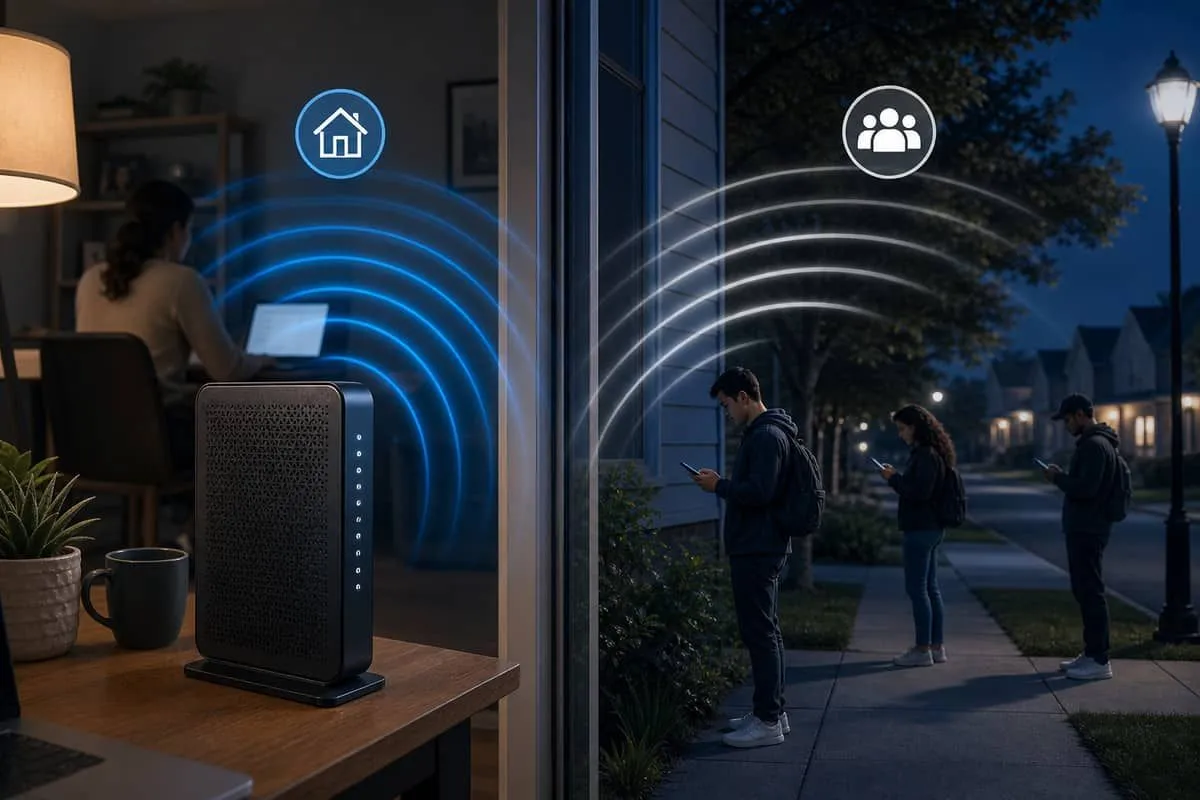
Your private SSID and the ISP public hotspot share one gateway — often the same radio bands. Strangers do not need your Wi-Fi password to associate with the public SSID if they have a qualifying ISP account or pass.
Scenario 2: Public SSID meets isolation failures
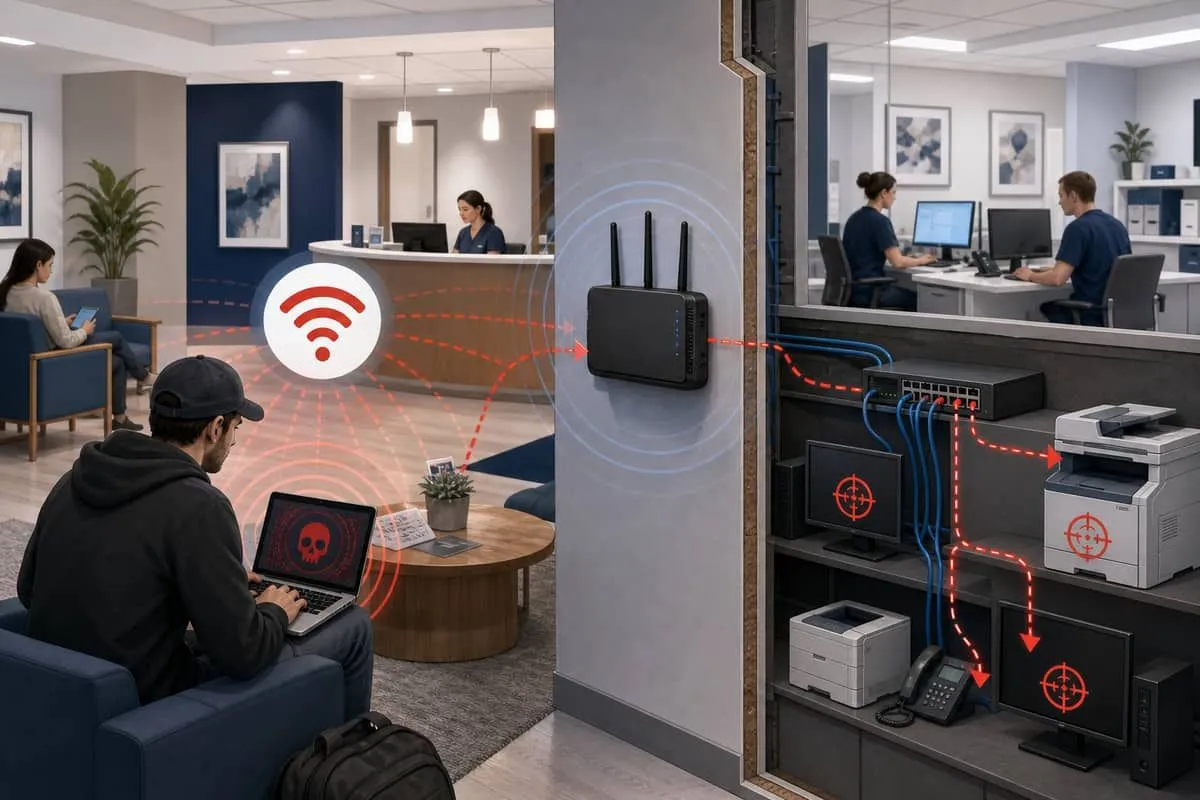
AirSnitch (NDSS 2026) demonstrated cross-SSID attacks on shared access points. ISP public hotspots are architecturally similar to guest Wi-Fi: a second network on the same AP. If isolation fails, attackers near your office may reach printers, NAS devices, or staff laptops defenders assumed were walled off.
Scenario 3: Opt-out does not always mean off
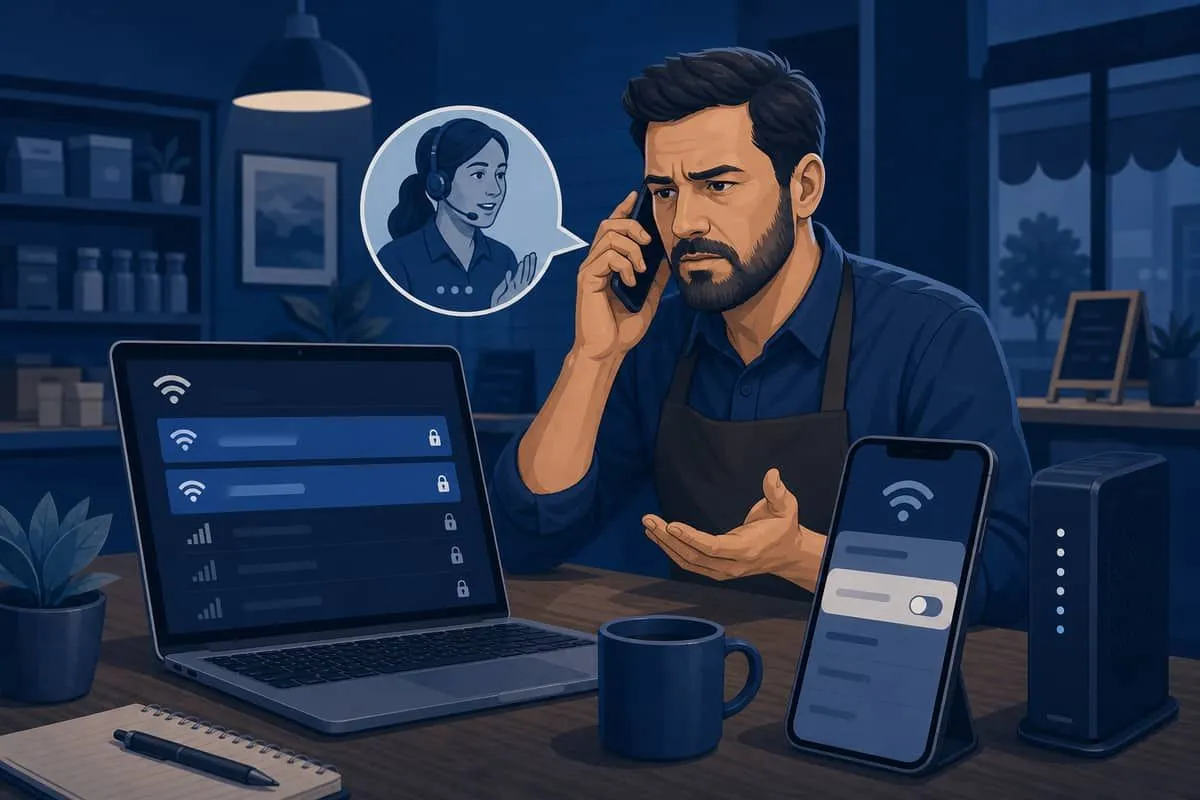
Verify with a Wi-Fi scanner (phone app or netsh wlan show networks) after opting out. Forum reports suggest toggles can show disabled while xfinitywifi or hidden related SSIDs remain active until firmware refresh or equipment swap.
Scenario 4: Mitigation — own your edge
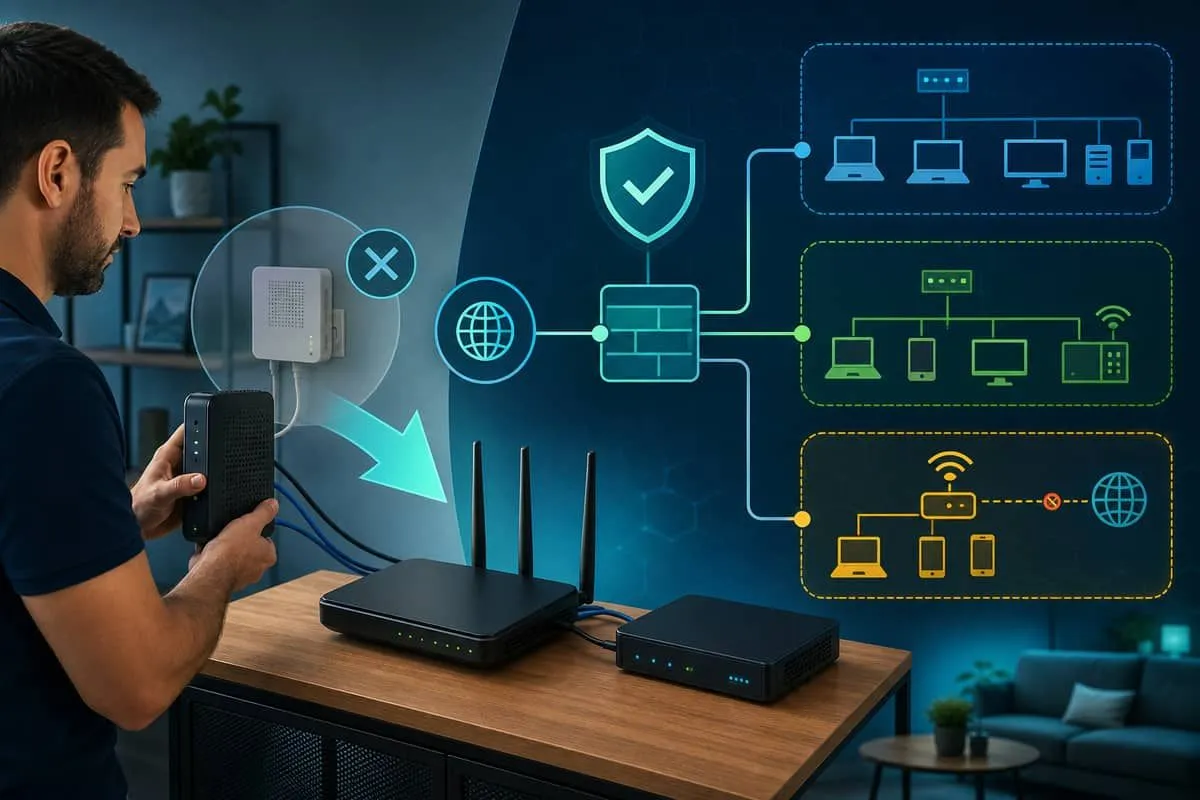
The strongest SMB fix: replace the ISP rental gateway with customer-owned modem and router — you stop paying the monthly rental, eliminate public hotspot broadcast, and can run WPA3 on a dedicated 5 GHz staff network instead of ISP WPA2 defaults.
Where the ISP requires its box for line auth only, put that unit in bridge mode, disable its Wi-Fi radios, and use your router — gear you own does not broadcast ISP public hotspots.
For Xfinity renters who keep the gateway temporarily: opt out at customer.xfinity.com/WifiHotspot or the Xfinity app, wait 24 hours, then scan again after each firmware push — but plan to return the rental if the public SSID persists.
What attackers near your office can attempt
| Technique | Requires your Wi-Fi password? | Notes |
|---|---|---|
| Join ISP public hotspot SSID | No (ISP account / pass) | Authenticated stranger on your gateway |
| AirSnitch-style cross-SSID reach | No — must join one SSID on shared AP | Targets isolation, not encryption crack |
| KRACK / handshake attacks on clients | No password for session attack | Patch EOL printers, phones, IoT |
| Offline WPA2 PSK crack | Capture once; crack weak PSK | Separate from hotspot; see WPA3 guide |
Avoid public and ISP hotspot Wi-Fi when you can
Staff and owners should not treat xfinitywifi, CableWiFi, SpectrumWiFi, hotel, airport, or café Wi-Fi as safe for client work — even when the SSID is “official.” ISP homespot networks are public by design; isolation from your private LAN is a firmware promise, not a guarantee (AirSnitch).
Prefer cellular data or your office staff SSID for email, cloud apps, wire transfers, and PHI. Reserve public and guest radio for low-risk browsing only.
If you must use public or guest Wi-Fi
- Connect VPN before anything else — employer corporate VPN, approved WireGuard/OpenVPN, or ZTNA agent; enable always-on VPN on laptops where policy allows.
- Use MFA on every business account — VPN does not stop credential theft on unencrypted legacy apps.
- Verify HTTPS — do not use HTTP-only admin or line-of-business tools across public Wi-Fi, even with VPN.
- Do not auto-join — remove
xfinitywifiand similar SSIDs from saved networks after travel. - Train mobile staff — paralegals, CPAs, and clinicians working from hotels or co-working spaces need the same rule: VPN on first, sensitive apps second.
VPN and connectivity options
When no employer VPN is available, use a no-logs consumer VPN before sensitive work on xfinitywifi, hotel, or café networks — corporate policy and regulated data may still require an IT-approved solution:
- Proton VPN — connect the VPN before opening email or cloud apps on untrusted Wi-Fi.
Where cellular or cable public hotspots are the only option (common in rural areas), a controlled internet link avoids sharing radio with strangers entirely:
- Starlink Internet — satellite service for field offices, ranch sites, and backup connectivity instead of ISP homespot SSIDs.
We may earn a commission if you sign up for Proton VPN or Starlink through the links above.
See also: Guest Wi-Fi isolation risks for why your own office guest SSID deserves the same caution when handling regulated data.
What to do this week
- Replace rental gateways that broadcast public Wi-Fi — return the Xfinity/Cox/Spectrum box, drop the monthly rental fee, and deploy customer-owned modem + WPA3 router with 5 GHz for staff (see Replace the rental gateway above).
- Inventory what you have now — rented gateway vs owned gear; scan for
xfinitywifi,CableWiFi, and related SSIDs. - Disable ISP public hotspot only as a stopgap if you cannot replace yet; Xfinity hotspot settings, Cox privacy settings — re-scan after 24 hours and after firmware updates.
- Segment guest and staff — VLAN or separate hardware; read guest Wi-Fi mitigation steps.
- Verify wireless encryption — confirm you are not on WPA2-only defaults; follow the WPA3 upgrade guide.
- Patch or replace printers and IoT that cannot update — they are common cross-network victims.
- Require VPN + MFA for business apps; treat all wireless, including “internal” SSIDs and ISP hotspots, as untrusted — see Avoid public and ISP hotspot Wi-Fi above.
Independent Cybersecurity Audit
We audited major ISP domains on June 27, 2026. Scores reflect public email and website security posture (SPF, DMARC, TLS, etc.) — not whether your local gateway broadcasts a hotspot today.
| Organization (Domain) | Overall | Risk Level |
|---|---|---|
| Cox (cox.com) | 68% | High Risk |
| Xfinity (xfinity.com) | 64% | High Risk |
| Comcast (comcast.com) | 62% | High Risk |
| Spectrum (spectrum.com) | 62% | High Risk |
| AT&T (att.com) | 60% | High Risk |
| Charter Communications (charter.com) | 54% | Critical Risk |
Audit links:
- xfinity.com audit
- comcast.com audit
- cox.com audit
- spectrum.com audit
- att.com audit
- charter.com audit
Weaker DMARC and transport security on ISP consumer domains also matters when attackers impersonate “your internet provider” billing or support messages — a common callback-phishing theme alongside Wi-Fi social engineering.
Related reading
- WPA3 business device list
- WPA3 home office device list
- Popular devices without WPA3 / 5 GHz
- Guest Wi-Fi isolation risks (AirSnitch)
- WPA3 upgrade and KRACK context
Protect your organization.
Run a free audit at audit.emailmenow.com — and contact EmailMeNow IT Consulting for wireless segmentation reviews and ISP gateway hardening.
Sources: Xfinity — Disable Home Hotspot · Xfinity — Hotspot account settings · Comcast Corporate — CableWiFi Alliance · Allconnect — Cox public Wi-Fi hotspots · Spectrum Wi-Fi access points · Optimum WiFi FAQ · Kaspersky — AirSnitch · EmailMeNow audits — xfinity.com