Home offices and downtown offices share the same problem: Wi-Fi–only printers on 2.4 GHz WPA2 block a WPA3-only work SSID and appear on our legacy device blocker list. The fix is not downgrading wireless — it is replacing the MFP with one that meets a wired-first checklist and joining it to a home work VLAN or business staff network.
Every model below must satisfy all of these on the same SKU (or documented wireless kit):
| Requirement | Required |
|---|---|
| Gigabit Ethernet | ✅ Wire in production |
| WPA3-SAE + 5 GHz Wi-Fi | ✅ If ethernet is impractical |
| Color print + scan | ✅ |
| Duplex print + ADF scan | ✅ |
| Legal print + scan | ✅ Business; ⚠️ home attorneys & CPAs |
Footprint: compact desktop at home · desktop or floor-standing at the office. Mono-only models appear in brand sections for reference but do not meet the full checklist.
Deploy on Ethernet in production. Wi-Fi is for inventory compliance and rare mobile setups — not the default path for client or matter data. Printers are high-value targets on shared airspace (guest Wi-Fi risks).
Always confirm the exact model number — dw / fdw / wifx, wireless kits, and regional SKUs differ. USB-only consumer models are excluded.
Ethernet first — Wi-Fi only when wiring is impractical
Gigabit Ethernet is the safest and usually the fastest way to connect a printer. Traffic stays on the cable inside your walls — there is no radio for someone in the parking lot, adjacent office, or neighboring apartment to probe. A wired link to a printer VLAN also avoids the slowdowns and retransmits that come from crowded airwaves.
Ethernet is not always convenient. A printer may sit on the far side of a finished office, a home study may lack a drop, or a temporary floor plan may rule out a new home run. In those cases, use Wi-Fi that supports WPA3-SAE and 5 GHz — never 2.4 GHz–only radios for work or staff SSIDs.
| Connection | Security | Speed / reliability | Best for |
|---|---|---|---|
| Gigabit Ethernet | Highest — no over-the-air exposure | Fastest, most stable | Production default |
| 5 GHz + WPA3 Wi-Fi | Good when SSID is isolated | Faster than 2.4 GHz; range limited by walls | When ethernet is impractical |
| 2.4 GHz Wi-Fi | Weakest — longest radio footprint | Slowest; most interference | Avoid for office printers |
2.4 GHz vs 5 GHz — channels and congestion
When a printer must use Wi-Fi, join the 5 GHz work or staff SSID with WPA3. The diagrams below show why 2.4 GHz is a poor default for office traffic.
2.4 GHz — only three non-overlapping channels (US)
Each Wi-Fi channel is ~20 MHz wide but spaced only 5 MHz apart. In practice, only channels 1, 6, and 11 do not overlap. Every neighbor AP, hotspot, and IoT device competes for the same narrow band.
- Neighbor Wi-Fi & ISP public hotspots
- Bluetooth headsets & keyboards
- Microwave ovens (2.45 GHz)
- USB 3.0 hubs & dongles (noise)
- Smart home / IoT on 2.4 GHz only
Typical peak: ~72–150 Mbps (802.11n) — often much lower under load.
5 GHz — many more channels, higher throughput
The 5 GHz band offers dozens of non-overlapping 20 MHz channels (exact count depends on region and DFS rules). Access points can pick cleaner spectrum — less co-channel fighting, faster prints and scans when Wi-Fi is unavoidable.
Typical peak: ~433 Mbps–1 Gbps+ (802.11ac/ax) — less crowded, shorter range through walls.
Security note: More channels reduce congestion; they do not replace WPA3 or Ethernet. A wired printer on a VLAN stays inside your building — Wi-Fi radiates beyond walls and is easier to probe from the parking lot or adjacent units.
Why 2.4 GHz is a bad printer default: the band has only three non-overlapping channels in the US (1, 6, and 11). Everything else overlaps, so neighbor networks, xfinitywifi, Bluetooth headsets, microwave ovens, USB 3.0 dongles, and smart-home gear all fight for the same narrow spectrum. 5 GHz offers many more non-overlapping channels and higher typical throughput — which is why every model on this list includes 5 GHz-capable Wi-Fi even when you plan to use Ethernet day to day.
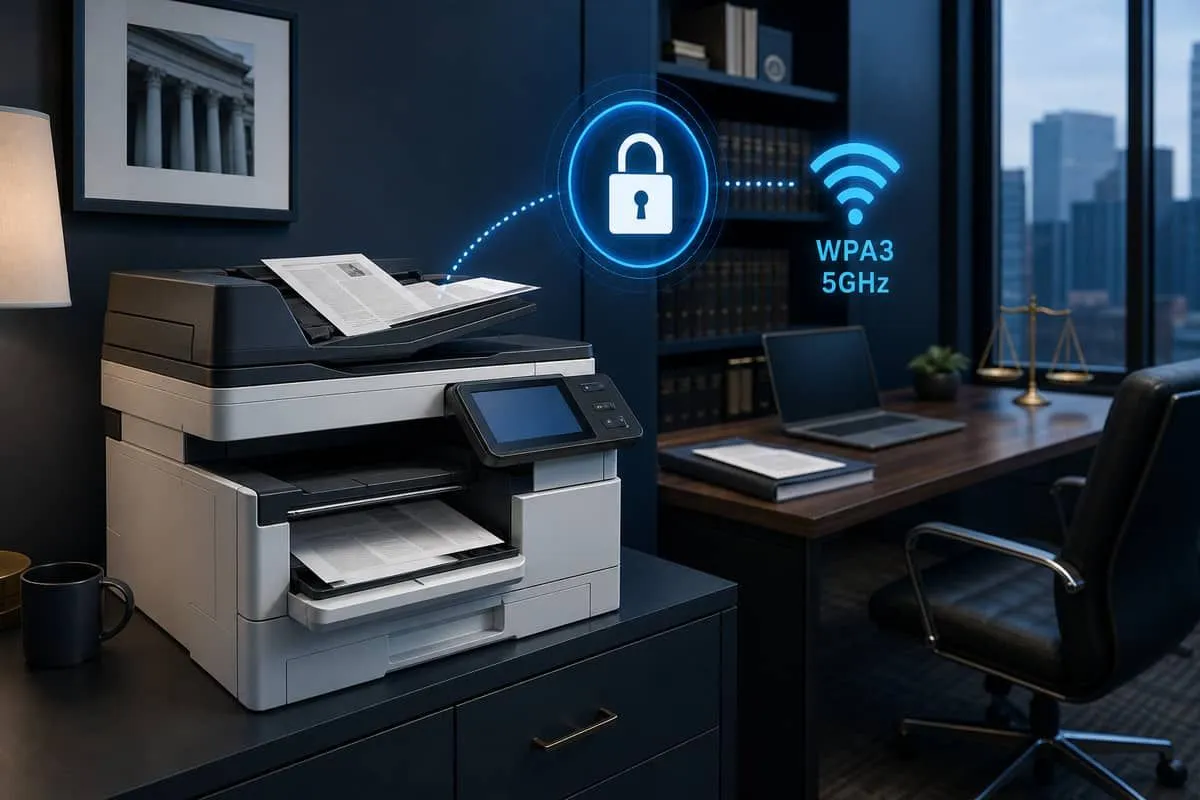
Quick legend
| Symbol | Meaning |
|---|---|
| ✅ | Listed in manufacturer specs for this model |
| ⚠️ | Partial, optional kit, regional SKU, or verify before buy |
| ❌ | Not supported on this model |
Top 10 printer brands — at a glance
| # | Brand | GbE + WPA3 + 5 GHz | Color MFP | Home office | Business |
|---|---|---|---|---|---|
| 1 | HP | ✅ | ✅ | 3301fdw | 4301fdw |
| 2 | Canon | ❌ | ✅ | MF656Cdw‡ | MF656Cdw‡ |
| 3 | Epson | ✅ | ✅ | WF-C5890 | WF-C5890 |
| 4 | Brother | ✅ | ✅ | L3780CDW | L8930CDW |
| 5 | Xerox | ⚠️ | ✅ | — | AltaLink C8130 + kit |
| 6 | Lexmark | ⚠️ | ✅ | MC3426adw | MC3640adwe |
| 7 | Ricoh | ⚠️ | ✅ | — | IM C3010 + kit |
| 8 | Konica Minolta | ✅ | ✅ | — | bizhub C4051i |
| 9 | Kyocera | ✅ | ❌ | — | TASKalfa 4054ci† |
| 10 | Sharp | ❌ | ✅ | — | MX-3551 (GbE only) |
GbE + WPA3 + 5 GHz: ✅ = documented on the model or standard wireless kit. ⚠️ = optional kit or verify firmware/datasheet. ❌ = no reliable 5 GHz WPA3 path — use Gigabit Ethernet only (Sharp, many Canon SKUs).
‡Canon: GbE + WPA3 yes; 5 GHz often unconfirmed — wire it or verify before counting as ✅.
Color MFP: ✅ = color print on the checklist. Kyocera ECOSYS wifx is mono print — use TASKalfa 4054ci† or another brand for full color.
Vendor cybersecurity audit (Jun 2026)
Not a printer security score. These results audit each vendor’s public website and email domain (SPF, DMARC, TLS on
hp.com, etc.) — not the WPA3 radio, firmware, or Ethernet NIC inside an MFP. A Critical Risk domain score does not mean the listed printer model fails our checklist.
Independent EmailMeNow audits:
| # | Brand | Domain | Score | Risk |
|---|---|---|---|---|
| 1 | HP | hp.com | 68% | High Risk |
| 2 | Canon | canon.com | 61% | High Risk |
| 3 | Epson | epson.com | 51% | Critical Risk |
| 4 | Brother | brother.com | 52% | Critical Risk |
| 5 | Xerox | xerox.com | 52% | Critical Risk |
| 6 | Lexmark | lexmark.com | 55% | Critical Risk |
| 7 | Ricoh | ricoh.com | 38% | Critical Risk |
| 8 | Konica Minolta | konica-minolta.com | 31% | Critical Risk |
| 9 | Kyocera | kyocera.com | 52% | Critical Risk |
| 10 | Sharp | sharp.com | 78% | Good |
Audit links: hp.com · canon.com · epson.com · brother.com · xerox.com · lexmark.com · ricoh.com · konica-minolta.com · kyocera.com · sharp.com
Home office printer options
Who this section is for: remote attorneys, CPAs, and consultants on a WPA3 + 5 GHz work SSID. Run an ethernet cable from router or switch to the MFP — same guidance as home office wired accessories.
Home office — quick picks (all requirements, color)
| Use case | Model | Brand | Notes |
|---|---|---|---|
| Color laser, compact | Color LaserJet Pro MFP 3301fdw | HP | GbE + WPA3 5 GHz; legal duplex |
| Color laser, value | MFC-L3780CDW | Brother | GbE + dual-band WPA3 |
| Color inkjet, legal | WorkForce Pro WF-C5890 | Epson | GbE + WPA3; legal duplex ADF |
| Home attorney (legal scan) | 3301fdw or L3780CDW | HP / Brother | Wire with GbE; disable Wi-Fi in EWS |
Home office — verify Wi-Fi before full checklist
| Model | Brand | Notes |
|---|---|---|
| imageCLASS MF656Cdw | Canon | GbE + WPA3 yes; confirm 5 GHz on datasheet or use Ethernet only |
Mono-only picks (cheaper, but skip color requirement): MFC-L2900DW, 4101fdw, WF-M5899DWF, MA4000wifx.
Home office by brand
HP (home)
| Model | Color | GbE | WPA3 | 5 GHz | Duplex P/S | Legal P/S |
|---|---|---|---|---|---|---|
| LaserJet Pro MFP 4101fdw | Mono | ✅ | ✅ | ✅ | ✅ / ✅ | ✅ / ✅ |
| Color LaserJet Pro MFP 3301fdw | Color | ✅ | ✅ | ✅ | ✅ / ✅ | ✅ / ✅ |
| LaserJet Pro MFP 4103fdw | Mono | ✅ | ✅ | ✅ | ✅ / ✅ | ✅ / ✅ |
Brother (home)
| Model | Color | GbE | WPA3 | 5 GHz | Duplex P/S | Legal P/S |
|---|---|---|---|---|---|---|
| MFC-L2900DW / L2900DWXL | Mono | ✅ | ✅ WPA3-SAE | ✅ a/n | ✅ / ✅ SP ADF | ✅ / ✅ |
| MFC-L2980DW | Mono | ✅ | ✅ | ✅ | ✅ / ✅ | ✅ / ✅ |
| MFC-L3780CDW | Color | ✅ | ✅ | ✅ | ✅ / ✅ | ✅ / ✅ |
| MFC-L8340CDW | Color | ✅ | ✅ | ✅ | ✅ / ✅ | ✅ / ✅ |
Epson (home)
| Model | Color | GbE | WPA3 | 5 GHz | Duplex P/S | Legal P/S |
|---|---|---|---|---|---|---|
| WorkForce Pro WF-M5899DWF | Mono inkjet | ✅ | ✅ | ✅ ac | ✅ / ✅ | ✅ / ✅ |
| WorkForce Pro WF-C5890 | Color inkjet | ✅ | ✅ | ✅ | ✅ / ✅ | ✅ / ✅ |
| WorkForce Pro WF-C4810 | Color inkjet | ✅ | ✅ | ✅ ac† | ✅ / ✅ ADF | ❌ A4 only — not on full checklist |
†Epson Table B radios (US) include 802.11ac 5 GHz — confirm country table on datasheet.
Canon (home)
| Model | Color | GbE | WPA3 | 5 GHz | Duplex P/S | Legal P/S |
|---|---|---|---|---|---|---|
| imageCLASS MF654Cdw | Color | ✅ | ✅ | ⚠️ Often 2.4 GHz | ✅ / ✅ | ✅ / ✅ |
| imageCLASS MF656Cdw | Color | ✅ | ✅ | ⚠️ Verify band | ✅ / ✅ 1-pass ADF | ✅ / ✅ |
| imageCLASS MF289dw | Mono | ✅ | ✅ | ⚠️ 802.11n | ✅ | ✅ / ⚠️ |
Canon note: GbE is standard — disable Wi-Fi and use Ethernet only if 5 GHz cannot be confirmed.
Kyocera (home-based professional)
| Model | Color | GbE | WPA3 | 5 GHz | Duplex P/S | Legal P/S |
|---|---|---|---|---|---|---|
| ECOSYS MA4000wifx | Mono | ✅ | ✅ | ✅ | ✅ / ✅ Dual Scan | ✅ / ✅ |
Note: MA4000wifx meets all requirements except color print. For color at home, use HP 3301fdw, Brother L3780CDW, or Epson WF-C5890.
Home office — what to avoid
| Still common at home | Problem | Instead |
|---|---|---|
| USB-only / Wi-Fi-only inkjets | No GbE printer VLAN | 4101fdw, MFC-L2900DW, WF-M5899DWF |
| HP DeskJet 3755 / 2600 | No GbE; 2.4 GHz WPA2 | Wired laser MFP from checklist |
| Brother HL-L2350DW | No ADF; Wi-Fi-only path common | MFC-L2900DW on Ethernet |
| ISP rental gateway LAN | Public xfinitywifi, WPA2 | Own router + printer on GbE |
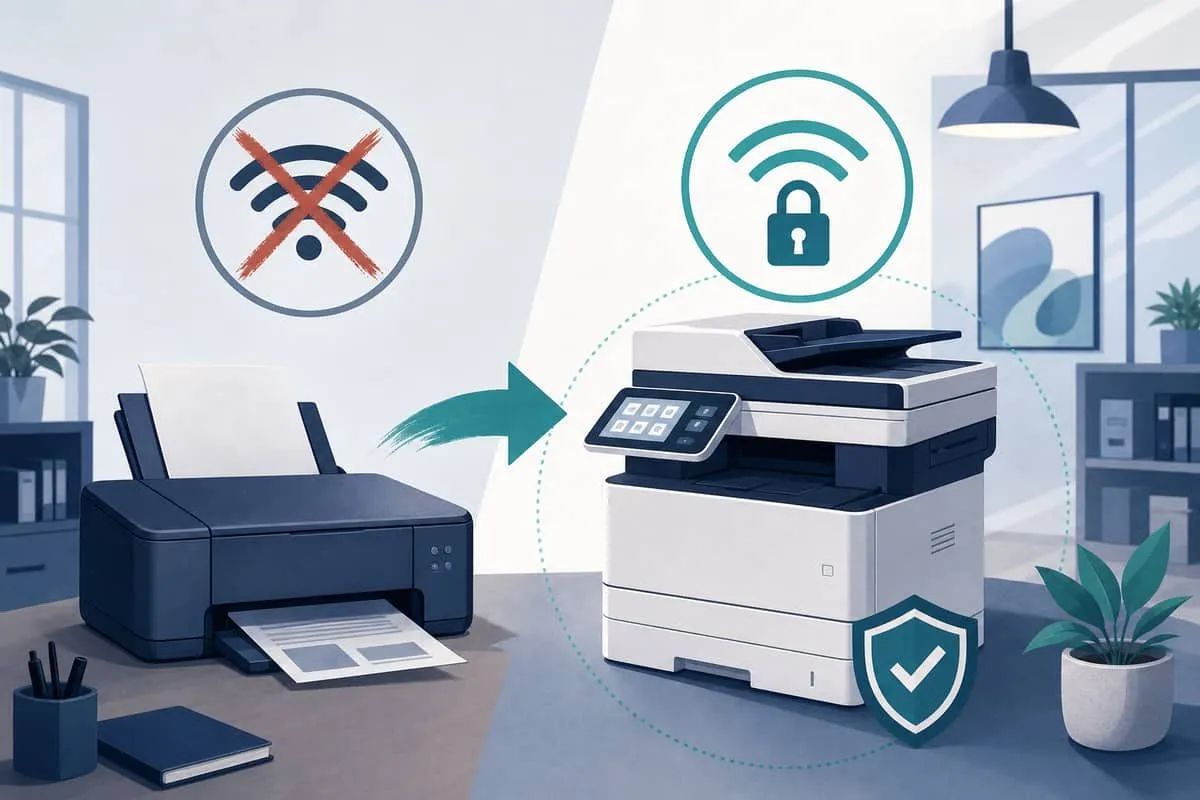
Home office deployment tips
- Connect Gigabit Ethernet first — DHCP reservation or static IP on work/printer subnet.
- Disable Wi-Fi in the printer web UI unless you have a documented wireless need.
- Create a Work SSID on 5 GHz with WPA3-Personal for laptops — not for the MFP if wired.
- For Clio / QuickBooks / M365, pick legal duplex ADF when scanning pleadings at home.
- Verify WPA3 on clients — the printer should show Connected via Ethernet in its panel.
Business printer options
Who this section is for: Texas law firms, title companies, clinics, and SMBs placing MFPs on a dedicated printer VLAN via GbE, with WPA3-capable Wi-Fi only for floor plans that cannot be cabled (business WPA3 clients).
Business — quick picks (all requirements, color)
| Group | Model | Brand |
|---|---|---|
| Laser color | MFC-L8930CDW, HP 4301fdw, bizhub C4051i, Ricoh IM C3010‡ | Brother, HP, Konica Minolta, Ricoh |
| Inkjet color | WF-C5890, WF-C5891 | Epson |
| Enterprise color fleet | Xerox AltaLink C8130 + dual-band kit | Xerox |
| Lexmark color | MC3640adwe, XC4240 | Lexmark |
‡Ricoh Type M52 wireless kit for WPA3; GbE on chassis.
Mono-only picks (cheaper, but skip color requirement): MFC-L5717DW, HP 4103fdw, Kyocera MA4000wifx, WF-M5899DWF, bizhub 450i, AltaLink B8145.
Ethernet-primary only (GbE, no WPA3 Wi-Fi)
Use when the fleet is wired-only and wireless radios stay disabled:
| Model | Brand | GbE | Legal duplex ADF | Wi-Fi note |
|---|---|---|---|---|
| MX-M5071 / MX-M6071 | Sharp | ✅ | ✅ / ✅ DSPF | ❌ WPA2 — do not enable Wi-Fi |
| MX-M4071 / MX-3551 | Sharp | ✅ | ✅ / ✅ | Same |
| VersaLink C405 | Xerox | ✅ | ✅ / ✅ DADF | ❌ WPA2 — GbE only |
1. HP (business)
| Model | Type | Color | GbE | WPA3 | 5 GHz | Duplex P/S | Legal P/S |
|---|---|---|---|---|---|---|---|
| LaserJet Pro MFP 4103dw / 4103fdw | Laser MFP | Mono | ✅ | ✅ | ✅ | ✅ / ✅ | ✅ / ✅ |
| Color LaserJet Pro MFP 4301fdw | Laser MFP | Color | ✅ | ✅ | ✅ | ✅ / ✅ | ✅ / ✅ |
| Color LaserJet Pro MFP 3301fdw | Laser MFP | Color | ✅ | ✅ | ✅ | ✅ / ✅ | ✅ / ✅ |
| LaserJet Enterprise MFP M430f | Laser MFP | Mono | ✅ | ✅ | ⚠️ Optional Wi-Fi 6 kit | ✅ / ✅ | ✅ / ✅ |
Texas legal note: HP Scan / OCR workflows pair well with searchable PDF exports for pleadings.
2. Canon — business (imageCLASS / imageRUNNER ADVANCE)
| Model | Type | Color | GbE | WPA3 | 5 GHz | Duplex P/S | Legal P/S |
|---|---|---|---|---|---|---|---|
| imageCLASS MF465dw II | Laser MFP | Mono | ✅ | ✅ | ⚠️ Often 2.4 GHz | ✅ / ✅ DADF | ✅ / ✅ |
| imageCLASS MF461dw II | Laser MFP | Mono | ✅ | ✅ | ⚠️ Same | ✅ / ✅ | ✅ / ✅ |
| imageCLASS MF656Cdw | Laser MFP | Color | ✅ | ✅ | ⚠️ Verify band | ✅ / ✅ 1-pass ADF | ✅ / ✅ |
| imageCLASS MF289dw | Laser MFP | Mono | ✅ | ✅ WPA3-SAE | ⚠️ 802.11n | ✅ | ✅ / ⚠️ |
Canon policy: GbE required for production; treat Wi-Fi as unverified until 5 GHz is confirmed on the datasheet.
3. Epson — business (WorkForce Pro inkjet)
| Model | Type | Color | GbE | WPA3 | 5 GHz | Duplex P/S | Legal P/S |
|---|---|---|---|---|---|---|---|
| WorkForce Pro WF-M5899DWF | Inkjet MFP | Mono | ✅ | ✅ | ✅ ac | ✅ / ✅ | ✅ / ✅ |
| WorkForce Pro WF-C5890 | Inkjet MFP | Color | ✅ | ✅ | ✅ | ✅ / ✅ 2-sided ADF | ✅ / ✅ |
| WorkForce Pro WF-C5891 | Inkjet MFP | Color | ✅ | ✅ | ✅ | ✅ / ✅ | ✅ / ✅ |
| WorkForce Pro EM-C8100RDWF | Inkjet MFP | Color | ✅ | ✅ | ✅ | ✅ / ✅ | ✅ / ✅ Tabloid |
4. Brother — business
| Model | Type | Color | GbE | WPA3 | 5 GHz | Duplex P/S | Legal P/S |
|---|---|---|---|---|---|---|---|
| MFC-L5717DW | Laser MFP | Mono | ✅ | ✅ WPA3-SAE | ✅ Dual-band | ✅ / ✅ SP ADF | ✅ / ✅ |
| MFC-L8930CDW | Laser MFP | Color | ✅ | ✅ | ✅ | ✅ / ✅ | ✅ / ✅ |
| MFC-L8730CDW | Laser MFP | Color | ✅ | ✅ | ✅ | ✅ / ✅ | ✅ / ✅ |
| MFC-L3780CDW | Laser MFP | Color | ✅ | ✅ | ✅ | ✅ / ✅ | ✅ / ✅ |
5. Xerox — business
| Model | Type | Color | GbE | WPA3 | 5 GHz | Duplex P/S | Legal P/S |
|---|---|---|---|---|---|---|---|
| AltaLink C8130 / C8135 / C8145 (+ Dual Band Wireless Kit) | Laser MFP | Color | ✅ | ✅ WPA3-SAE | ✅ Optional kit | ✅ / ✅ DADF | ✅ / ✅ |
| AltaLink B8145 / B8155 (+ wireless kit) | Laser MFP | Mono | ✅ | ✅ | ✅ Kit | ✅ / ✅ | ✅ / ✅ |
| VersaLink C405 (+ Wi-Fi kit) | Laser MFP | Color | ✅ | ❌ WPA2 only | ⚠️ Kit | ✅ / ✅ DADF | ✅ / ✅ |
VersaLink: use GbE only — see Ethernet-primary table above.
6. Lexmark — business
| Model | Type | Color | GbE | WPA3 | 5 GHz | Duplex P/S | Legal P/S |
|---|---|---|---|---|---|---|---|
| MC3426adw | Laser MFP | Color | ✅ | ⚠️ WPA3 (firmware) | ✅ Wi-Fi 6 | ✅ / ✅ | ⚠️ Verify ADF legal |
| MC3640adwe | Laser MFP | Color | ✅ | ⚠️ | ✅ | ✅ / ✅ | ✅ / ✅ |
| XC4240 | Laser MFP | Color | ✅ | ⚠️ | ✅ | ✅ / ✅ | ✅ / ✅ |
7. Ricoh — business
| Model | Type | Color | GbE | WPA3 | 5 GHz | Duplex P/S | Legal P/S |
|---|---|---|---|---|---|---|---|
| IM C3010 / IM C3510 (+ Type M52 kit) | Laser MFP | Color | ✅ | ✅ IEEE 802.11i (WPA3) | ✅ ac kit | ✅ / ✅ SPDF | ✅ / ✅ |
| IM C4010 / IM C6010 (+ same kit) | Laser MFP | Color | ✅ | ✅ | ✅ | ✅ / ✅ | ✅ / ✅ |
Ricoh ships GbE on chassis; add Type M52 only when wireless is required after cabling survey.
8. Konica Minolta — business (bizhub i-Series)
| Model | Type | Color | GbE | WPA3 | 5 GHz | Duplex P/S | Legal P/S |
|---|---|---|---|---|---|---|---|
| bizhub C4051i | Laser MFP | Color | ✅ | ✅ WPA3 | ✅ 802.11ac | ✅ / ✅ DSDF 90 ipm | ✅ / ✅ |
| bizhub C3351i | Laser MFP | Color | ✅ | ✅ | ✅ | ✅ / ✅ | ✅ / ✅ |
| bizhub 450i / 550i (wireless LAN kit) | Laser MFP | Mono | ✅ | ✅ | ✅ | ✅ / ✅ | ✅ / ✅ |
9. Kyocera — business (ECOSYS / TASKalfa)
| Model | Type | Color | GbE | WPA3 | 5 GHz | Duplex P/S | Legal P/S |
|---|---|---|---|---|---|---|---|
| TASKalfa 4054ci (+ optional IB-37 kit) | Laser MFP | Color | ✅ | ⚠️ Verify WPA3 | ⚠️ ac kit | ✅ / ✅ | ✅ / ✅ |
| ECOSYS MA4000wifx | Laser MFP | Mono | ✅ | ✅ Wi-Fi Certified WPA3 | ✅ 2.4 + 5 GHz | ✅ / ✅ Dual Scan DP | ✅ / ✅ |
| ECOSYS MA4000wifx/L | Laser MFP | Mono | ✅ | ✅ | ✅ | ✅ / ✅ | ✅ / ✅ |
| ECOSYS PA4000wx | Laser | Mono | ✅ | ✅ | ✅ | ✅ | N/A (print only) |
Color checklist: TASKalfa 4054ci prints in color with GbE standard — confirm WPA3 on the IB-37 wireless kit before enabling Wi-Fi. MA4000wifx is mono print only.
10. Sharp — business
| Model | Type | Color | GbE | WPA3 | 5 GHz | Duplex P/S | Legal P/S |
|---|---|---|---|---|---|---|---|
| MX-M5071 / MX-M6071 | Laser MFP | Mono | ✅ | ❌ WPA2 only | ⚠️ 802.11 b/g/n | ✅ / ✅ DSPF | ✅ / ✅ |
| MX-M4071 | Laser MFP | Mono | ✅ | ❌ | ⚠️ | ✅ / ✅ | ✅ / ✅ |
| MX-3051 / MX-3551 (color) | Laser MFP | Color | ✅ | ❌ | ⚠️ | ✅ / ✅ | ✅ / ✅ |
Sharp GbE is production-ready; disable wireless on WPA3-only LANs — see Ethernet-primary table.
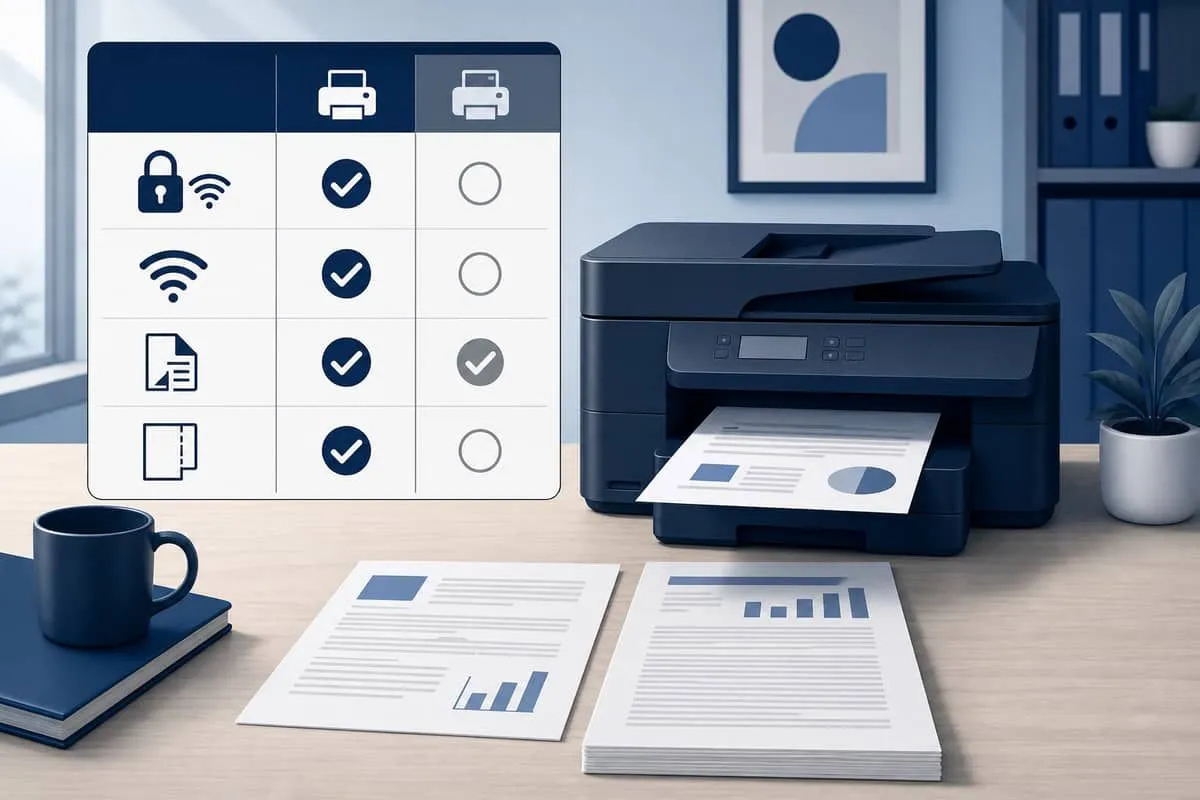
What to avoid (home and business)
| Legacy pattern | Example brands | Problem |
|---|---|---|
| No Gigabit Ethernet port | USB-only DeskJet, some label printers | Cannot place on printer VLAN |
| Wi-Fi-only deployment | Any brand without an ethernet run | Spans guest/IoT airspace |
| 2.4 GHz–only Wi-Fi | Older Brother HL, Sharp MX wireless | Blocks 5 GHz when wireless is used |
| WPA2-only wireless | VersaLink, Sharp MX, old imageCLASS | Forces WPA2 transition if Wi-Fi enabled |
| Simplex ADF | Canon MF287 class | Manual flip for two-sided pleadings |
| ISP rental gateway LAN | Xfinity/Cox | Public xfinitywifi + weak WPA2 |
Business deployment tips
- Cable first — ethernet home run to printer VLAN; DHCP reservation by MAC.
- Pick from the color quick-picks table — every entry includes GbE, color, and WPA3-capable Wi-Fi.
- Disable Wi-Fi on Sharp/VersaLink/uncertain Canon units after GbE test print succeeds.
- Segment printer VLAN — no inbound from guest or IoT Wi-Fi.
- Retire ISP hotspot gateways; terminate GbE at your firewall/router.
- Verify WPA3 on wireless clients — printers should show Link: 1000 Mbps Full on Ethernet status.
Related reading
- WPA3 upgrade and verification
- Home office WPA3 client devices
- Business WPA3 client devices
- Devices without WPA3 / 5 GHz
- ISP rental gateway public Wi-Fi
Need help cabling and securing home or office printers? Contact EmailMeNow IT Consulting — or run a free audit at audit.emailmenow.com.
Sources: Brother MFC-L2900DW · Brother MFC-L5717DW · HP LaserJet Pro 4101/4103 · Canon imageCLASS · Epson WorkForce Pro WF-C5890 · Xerox AltaLink Security Guide · Ricoh IM C3010 · Konica Minolta bizhub C4051i · Kyocera ECOSYS MA4000wifx · Sharp MX-M5071 · Wi-Fi Alliance WPA3